
Kubernetes Security
Kubernetes Security combines cluster inventory with runtime evidence from the Sensors deployed on Kubernetes nodes. Use it to review cluster health, workloads, pods, images, services, ingress, network policy, API activity, and security posture from one cluster-scoped workspace.
Open Kubernetes > Kubernetes Fleet, then select a cluster. Cluster pages are organized into Overview, Insights, Resources, Connectivity, Security, and Activity.
Inventory scope and loading
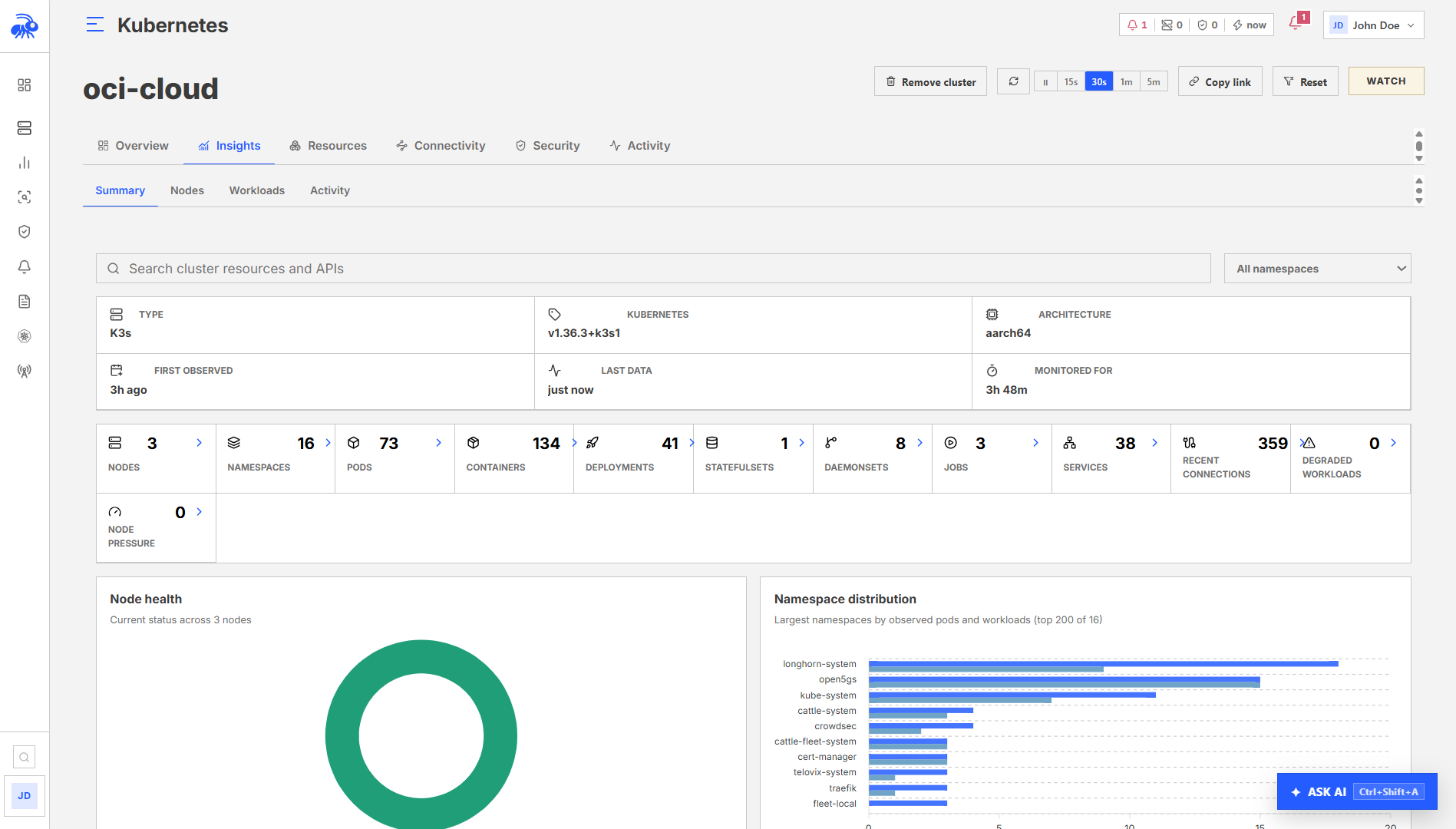
Resources and connectivity lists load in pages. Select a cluster and narrow by namespace, node, workload, or search before reviewing a large inventory.
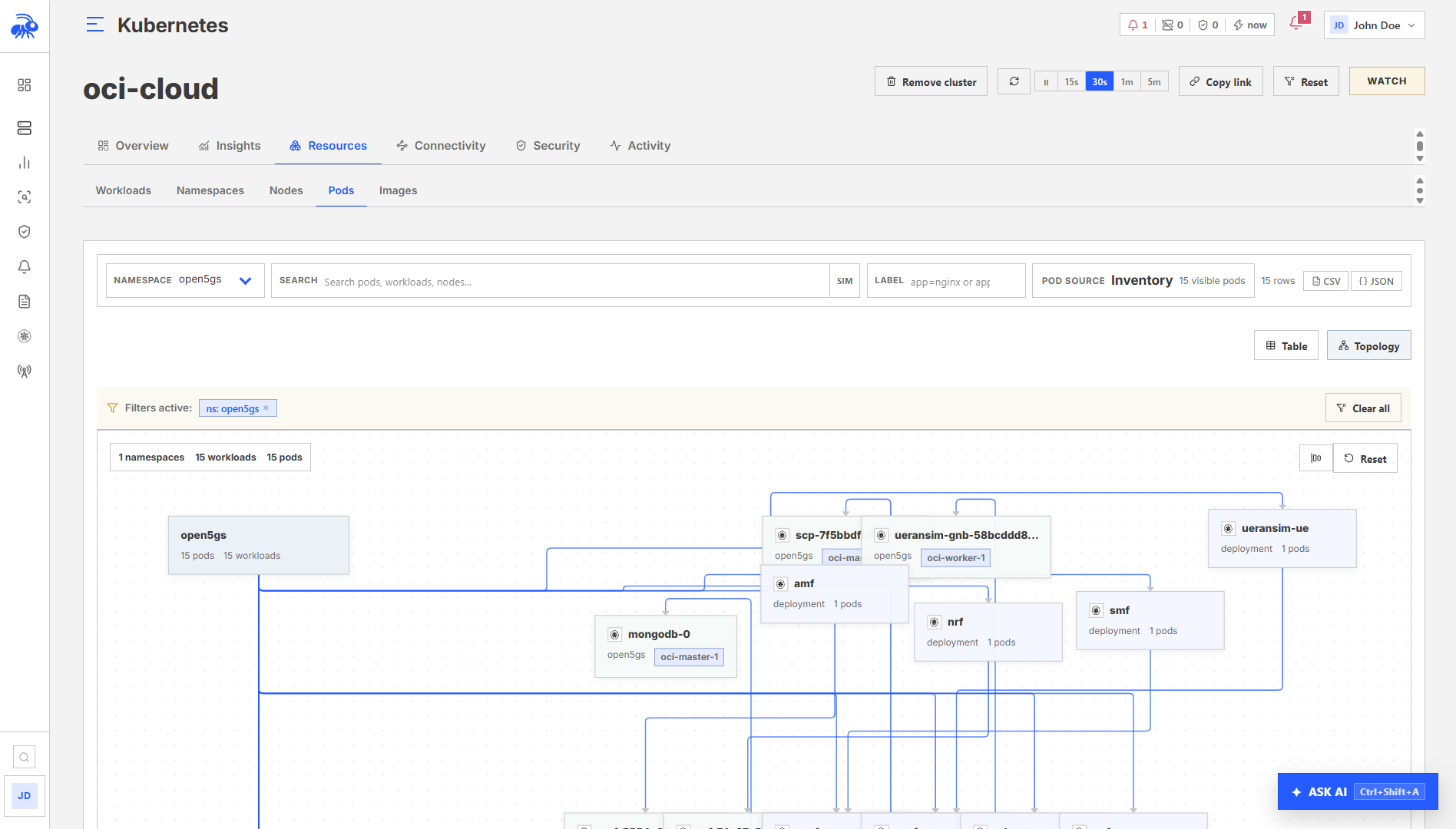
A topology displays up to 500 resources at a time. When the view is limited, narrow its filters to inspect the part of the cluster you need. A resource outside that view is not necessarily missing from inventory.
Check collection status when data is partial or a request fails. A confirmed empty result differs from an unavailable report; do not interpret a failed collection as an empty cluster.
Pod inventory
Open the cluster and select Resources > Pods. Search or filter by namespace, node, workload, status, or pod identity. Open a row to review the owning workload, node, Pod IP, labels, containers, image identity, restart state, and observation time.
Pod security posture
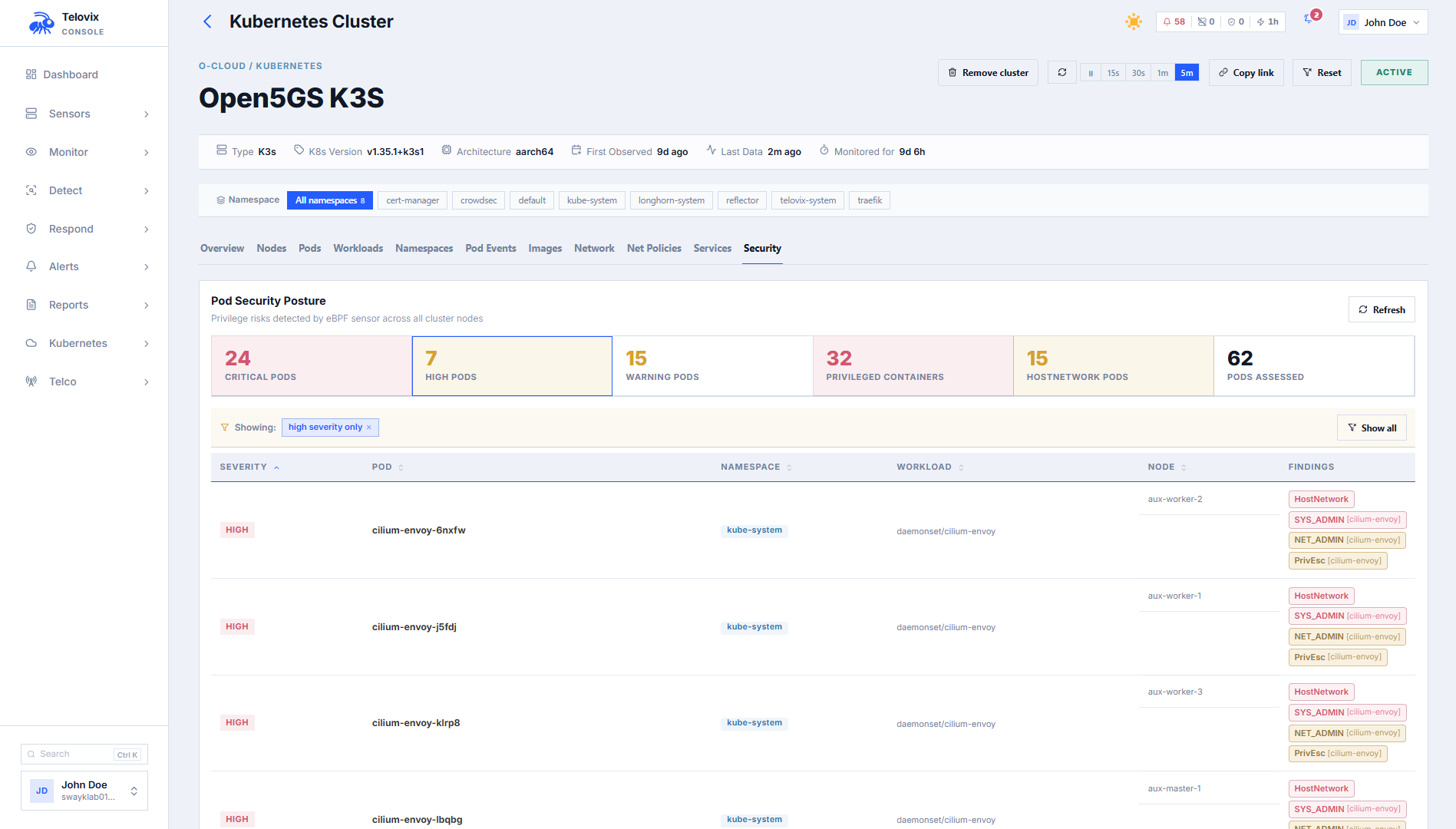
Open the cluster and select Security. Search and filters are evaluated by the Console so you can narrow posture results by severity, namespace, node, pod, or finding without loading the full cluster inventory into the browser.
Posture findings by severity:
| Severity | Finding |
|---|---|
critical | Container runs as privileged: true (full host kernel access) |
high | hostNetwork: true, hostPID: true, hostIPC: true, or SYS_ADMIN capability |
warning | NET_ADMIN capability, allowPrivilegeEscalation: true, or container runs as UID 0 (root) |
The summary shows assessed pods and the number affected by each posture category. Select a metric or pod to open its findings, evidence, and remediation guidance.
Reconstructed YAML
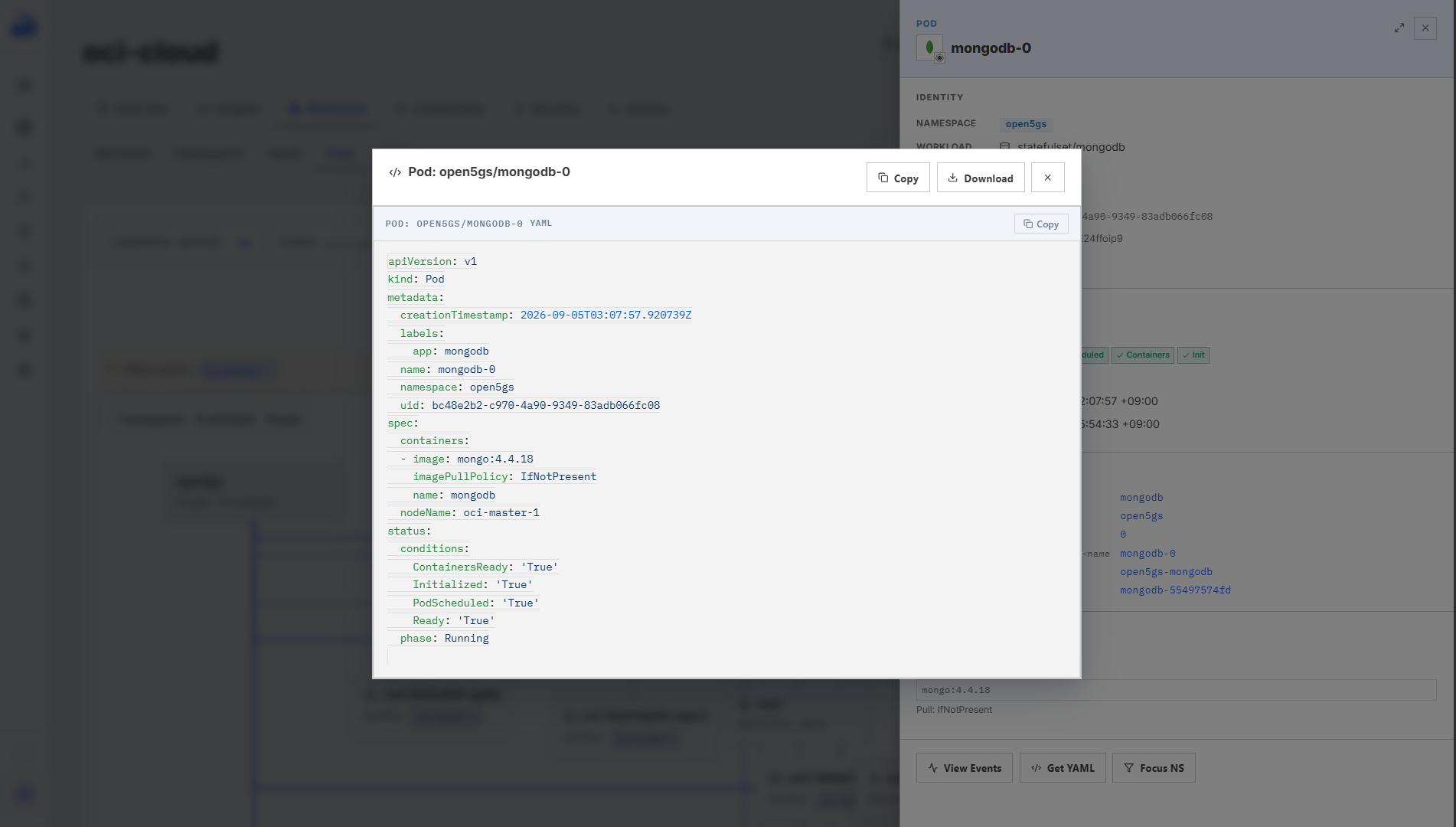
The Telovix Console reconstructs approximate YAML for Kubernetes objects from sensor-captured telemetry, providing resource context during investigations when direct cluster access is unavailable.
Open a supported object from Resources or Connectivity, then click View YAML when the action is available. The Console displays the reconstructed object in a read-only viewer.
Supported kinds: Pod, Service, Deployment, StatefulSet, DaemonSet.
::: note The reconstructed YAML is derived from observed telemetry rather than a live Kubernetes API request. Fields that were not observed may be absent. Use it for investigation context, not as an authoritative deployment manifest. :::
Container images
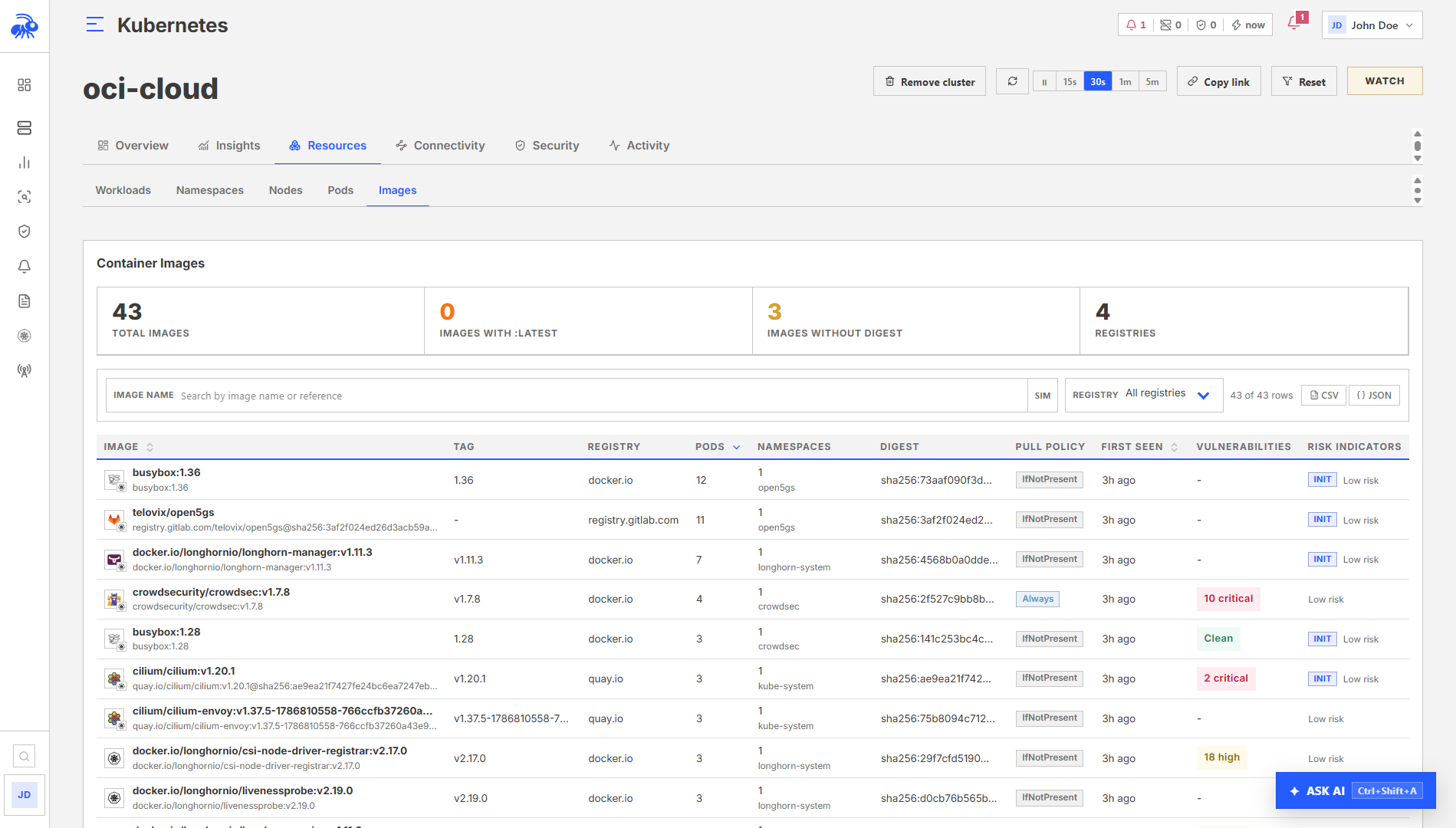
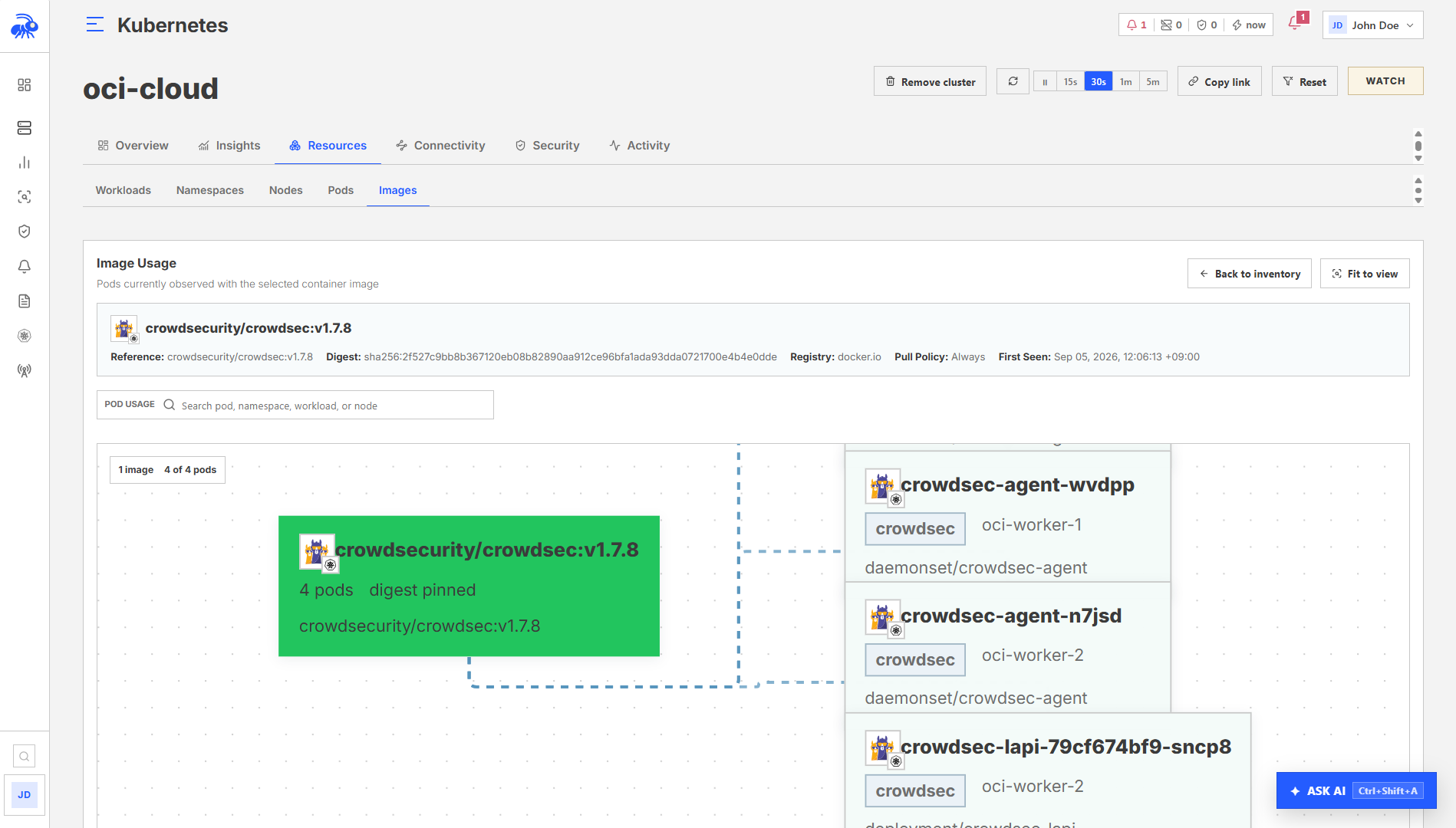
Open the cluster and select Resources > Images. Select an image to review its registry, digest, tags, vulnerability context, and the pods that use it.
Network policies
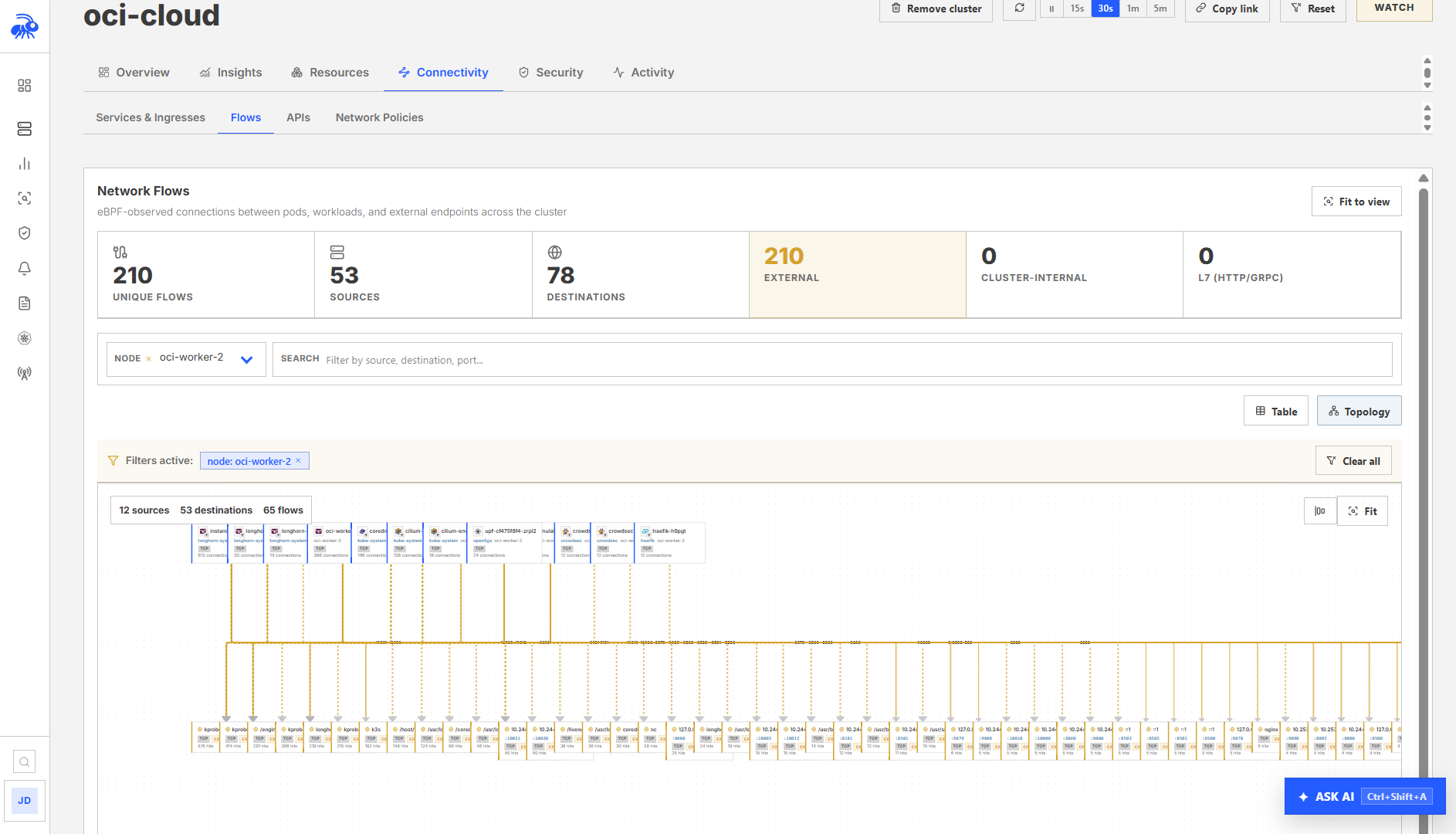
Open the cluster and select Connectivity > Network Policies. Use the namespace and search filters to compare observed communication with declared policy coverage.
API Security
Open a cluster from Kubernetes > Kubernetes Fleet, then select Connectivity > APIs. This opens the shared API Security workspace with the cluster scope already applied. Use Overview, Inventory, Threats, and Controls exactly as you would in the fleet-wide workspace.
The cluster view is not a separate inventory. Clearing the cluster scope returns to fleet-wide API Security. See API Security for exposure review, application maps, findings, request and response evidence, API contracts, and Visibility Health.
Admission webhook
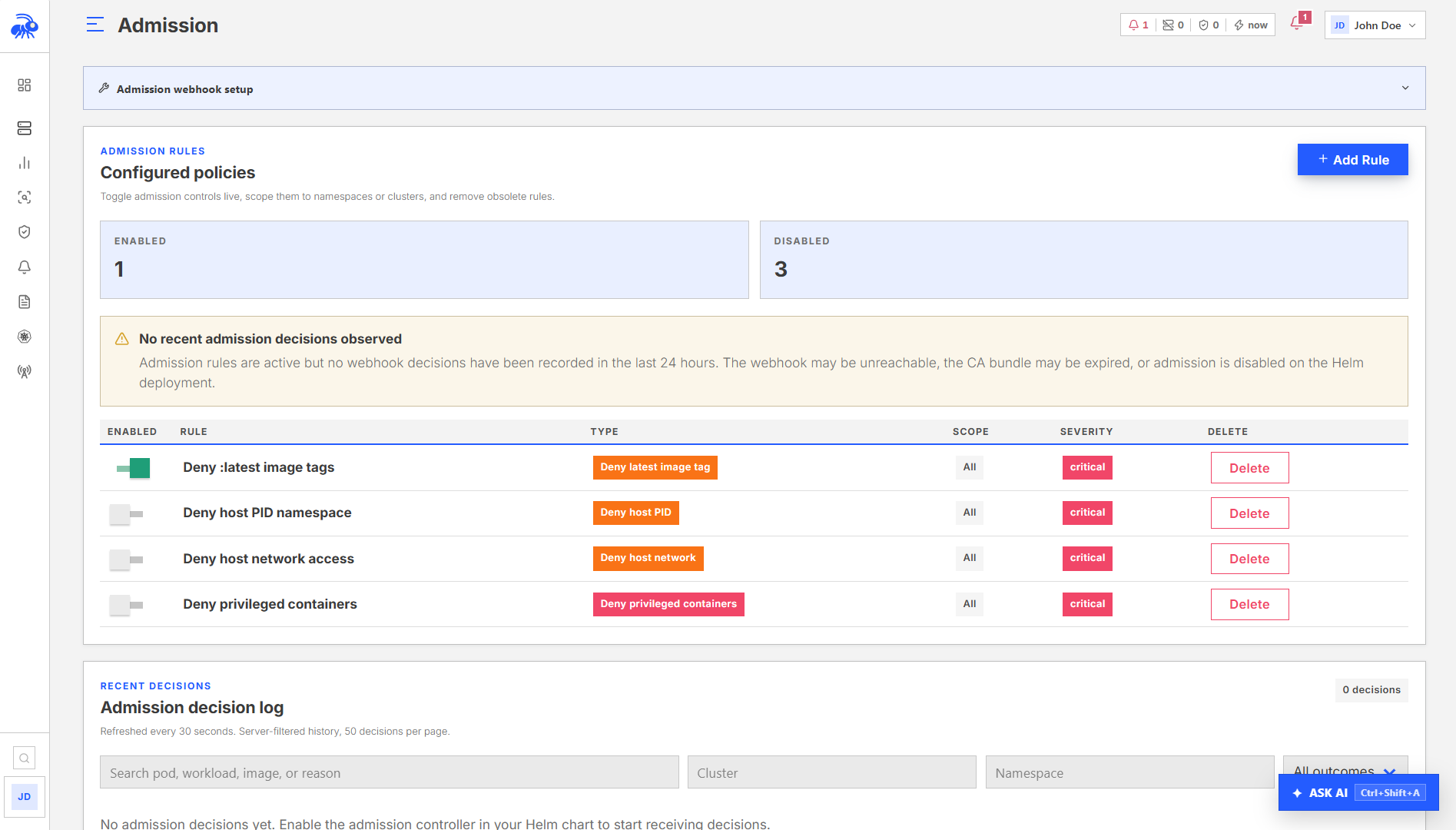
The Console can operate as a Kubernetes admission webhook. When enabled, the Kubernetes API server calls the Console before creating pods. The Console evaluates the pod spec against configured admission rules and returns an allow or deny decision.
See Sensor: Kubernetes (Helm) for how to enable and configure the admission webhook in the Helm chart.
Webhook credential and trust
Open Kubernetes > Admission, expand Admission webhook setup, and generate a credential for the cluster. The credential is shown once. Rotating it invalidates the previous webhook URL.
The chart creates a ValidatingWebhookConfiguration. Leave admission.caBundle empty when the Console uses a certificate issued by a public CA. Set it only when the Console endpoint uses a private CA, using the base64-encoded private CA certificate that signed the endpoint certificate.
Admission rule types
In Kubernetes > Admission, click Add Rule in the Admission Rules section:
| Rule type | What it enforces |
|---|---|
deny_privileged | Deny regular, init, or ephemeral containers with privileged: true |
deny_host_network | Deny pods with hostNetwork: true |
deny_host_pid | Deny pods with hostPID: true |
deny_host_ipc | Deny pods with hostIPC: true |
deny_latest_tag | Deny regular, init, or ephemeral containers using the latest tag or no tag; digest-pinned images are accepted |
require_resource_limits | Deny regular and init containers without explicit CPU and memory limits; Kubernetes does not allow resource declarations on ephemeral containers |
registry_allowlist | Deny regular, init, or ephemeral containers whose registry host or host/path does not match config.allowed_registries[] |
deny_root_user | Require regular, init, and ephemeral containers to explicitly set a non-zero runAsUser or runAsNonRoot: true |
Admission rules support:
name: human-readable labeldescription: optional explanationtarget_namespaces: array of namespaces to apply the rule to (empty = all)target_clusters: array of cluster names to apply the rule to (empty = all)severity: policy severity (medium,high, orcritical)deny_message: custom message returned to the Kubernetes API server when admission is deniedenabled: toggle the rule without deleting it
Admission decisions
The Admission page includes a server-filtered, paginated decision log. Retention follows the Console's configured data-retention policy. The page reports incomplete audit coverage when decision records could not be persisted.
Removing a cluster
After uninstalling the Sensor DaemonSet, open Kubernetes > Kubernetes Fleet, select the retired cluster, and click Remove cluster in the cluster header. Confirm the action only after verifying that the cluster will no longer report to this Console; removal deletes the stored Sensor and Kubernetes inventory for that cluster.
Limitations
- Pod inventory reflects the latest Sensor report. A recently deleted pod may remain visible until the next successful report.
- The reconstructed YAML endpoint produces approximate output from sensor-captured telemetry, not from the live Kubernetes API. Use it for incident context, not for cluster management.
- Pod security posture findings require sensors with Kubernetes mode enabled. Sensors on non-Kubernetes nodes report no pod posture data.
- The admission webhook requires an HTTPS Console URL reachable from the Kubernetes API server. It evaluates pod create/update requests and ephemeral-container updates; it does not retroactively evaluate pods already running.