

Attack Chains
Attack Chains correlate related runtime events from one Sensor into a named sequence that maps to known attacker behavior. Instead of reviewing individual alerts in isolation, operators can see whether suspicious activity progressed through multiple stages within a 30-minute correlation window.
How detection works
Telovix evaluates the order, Sensor identity, executable, and timing of observed events against defined chain patterns. A matching sequence creates an attack-chain record with the contributing evidence. Repeated matches for the same pattern, Sensor, and executable are grouped for one hour to reduce duplicate findings.
Chain catalog
Seven chains are defined. All currently fire with severity critical or high.
Chain 1: Process Injection to C2 Communication
chain_id: process_injection_c2Severity: critical MITRE: T1055, T1071
Pattern: A ptrace or mmap_exec event (process injection indicator) followed within 600 seconds by a network_connect to a non-loopback address from the same binary.
Exclusions: Common diagnostic tools that legitimately use ptrace or mmap (redis-cli, pg_isready, dig, nslookup, curl, wget, ping, nmcli, the ip command) are excluded from step 1. Loopback destinations are excluded from step 2.
Timing: Step 1 must be within the last 900 seconds; step 2 within 600 seconds after step 1.
Chain 2: Privilege Escalation to Network Connection
chain_id: privesc_networkSeverity: critical MITRE: T1548, T1071
Pattern: A privilege_change event followed within 300 seconds by a network_connect to a non-loopback address from the same binary.
Exclusions: Binaries expected to legitimately change privileges are excluded from step 1: cron, crond, sshd, ssh, su, sudo, login, runuser, newgrp, polkitd, dbus-daemon, and anything containing systemd.
Timing: Step 1 must be within the last 600 seconds; step 2 within 300 seconds after step 1.
Chain 3: Inbound Connection to Shell Spawn (Webshell Indicator)
chain_id: webshell_spawnSeverity: critical MITRE: T1505.003
Pattern: A network_accept event (inbound connection from a non-loopback source) followed within 120 seconds by a process_exec where the parent is the same binary that accepted the connection and the spawned process is a shell (bash, sh, dash, or zsh).
Timing: Step 1 must be within the last 300 seconds; step 2 within 120 seconds after step 1.
Chain 4: Defense Evasion to Namespace Creation
chain_id: defense_evasion_containerSeverity: high MITRE: T1562, T1610
Pattern: A signal event sending SIGKILL to a known security tool (sshd, auditd, a Telovix sensor, falcon, osquery, or wazuh) followed within 300 seconds by a namespace_create event from the same binary.
Exclusions: Container runtime binaries (containerd, dockerd, runc) and systemd are excluded from step 1.
Timing: Step 1 must be within the last 600 seconds; step 2 within 300 seconds after step 1.
Chain 5: Kernel Module Load to Network Connection (Rootkit C2)
chain_id: rootkit_c2Severity: critical MITRE: T1014, T1071
Pattern: A kernel_module_load or kmod_load event followed within 600 seconds by any network_connect event from any binary.
Timing: Step 1 must be within the last 900 seconds; step 2 within 600 seconds after step 1.
Chain 6: Credential File Access to DNS Exfiltration
chain_id: credential_dns_exfilSeverity: critical MITRE: T1003, T1048
Pattern: A file_open or file_write event touching a sensitive path (/etc/shadow, /etc/passwd, /.ssh/, /root/, or files with credentials or secret in the path) followed within 300 seconds by a dns_query event with warning severity or higher from the same binary.
Exclusions: Monitoring agents are excluded from step 1 (the Telovix sensor binary, falco, osqueryd, wazuh-agent) since they legitimately read credential files for host introspection.
Timing: Step 1 must be within the last 600 seconds; step 2 within 300 seconds after step 1.
Chain 7: File Integrity Alert to Modified Binary Executed
chain_id: fim_exec_correlationSeverity: critical MITRE: T1195.002, T1554
Pattern: A fim_alert event (file integrity violation indicating a binary was modified) followed within 3,600 seconds by a process_exec event where the executed binary path matches the path reported in the FIM alert.
Timing: Step 1 (FIM alert) must be within the last 2 hours; step 2 within 3,600 seconds after step 1.
Querying chains
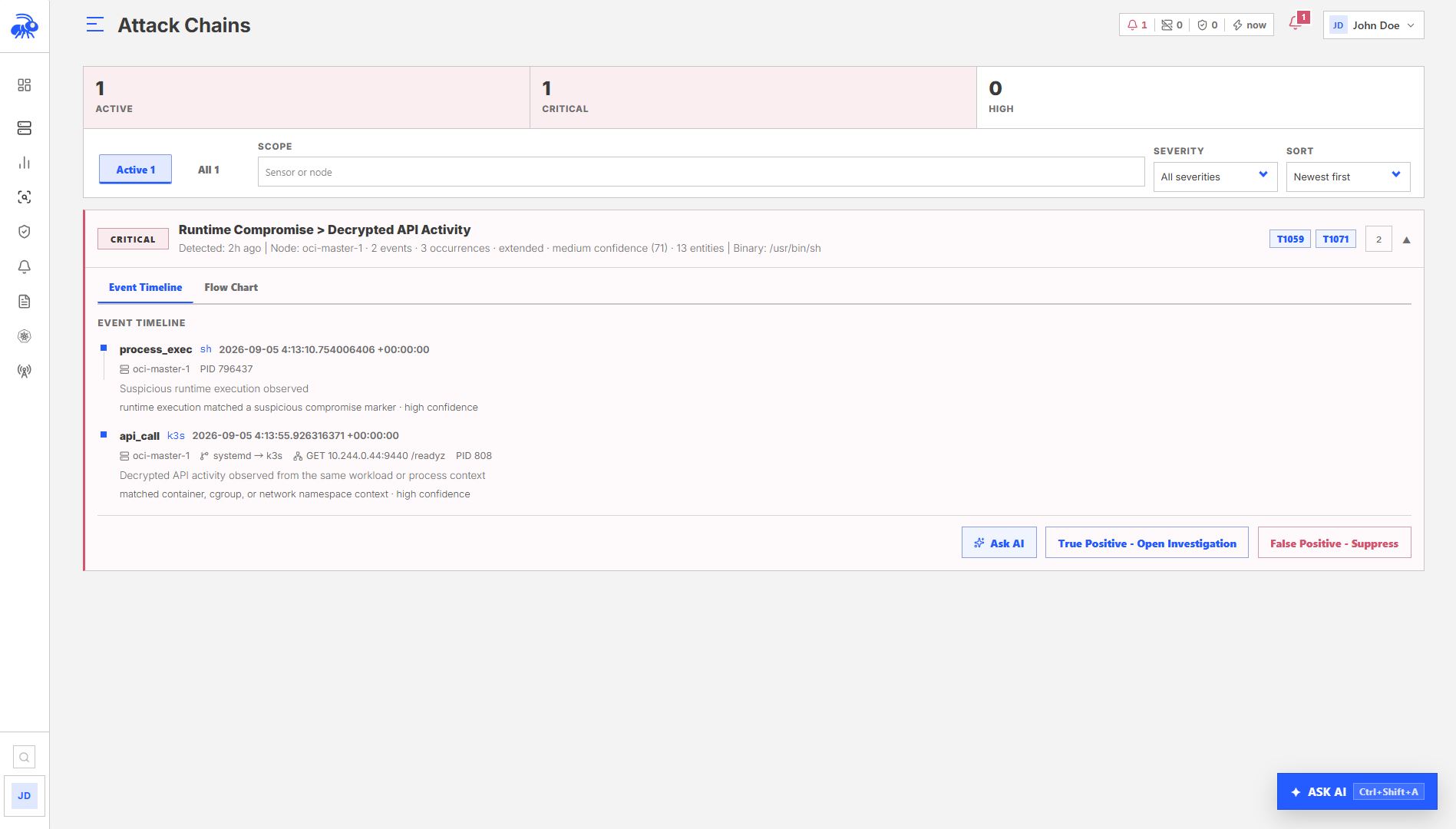
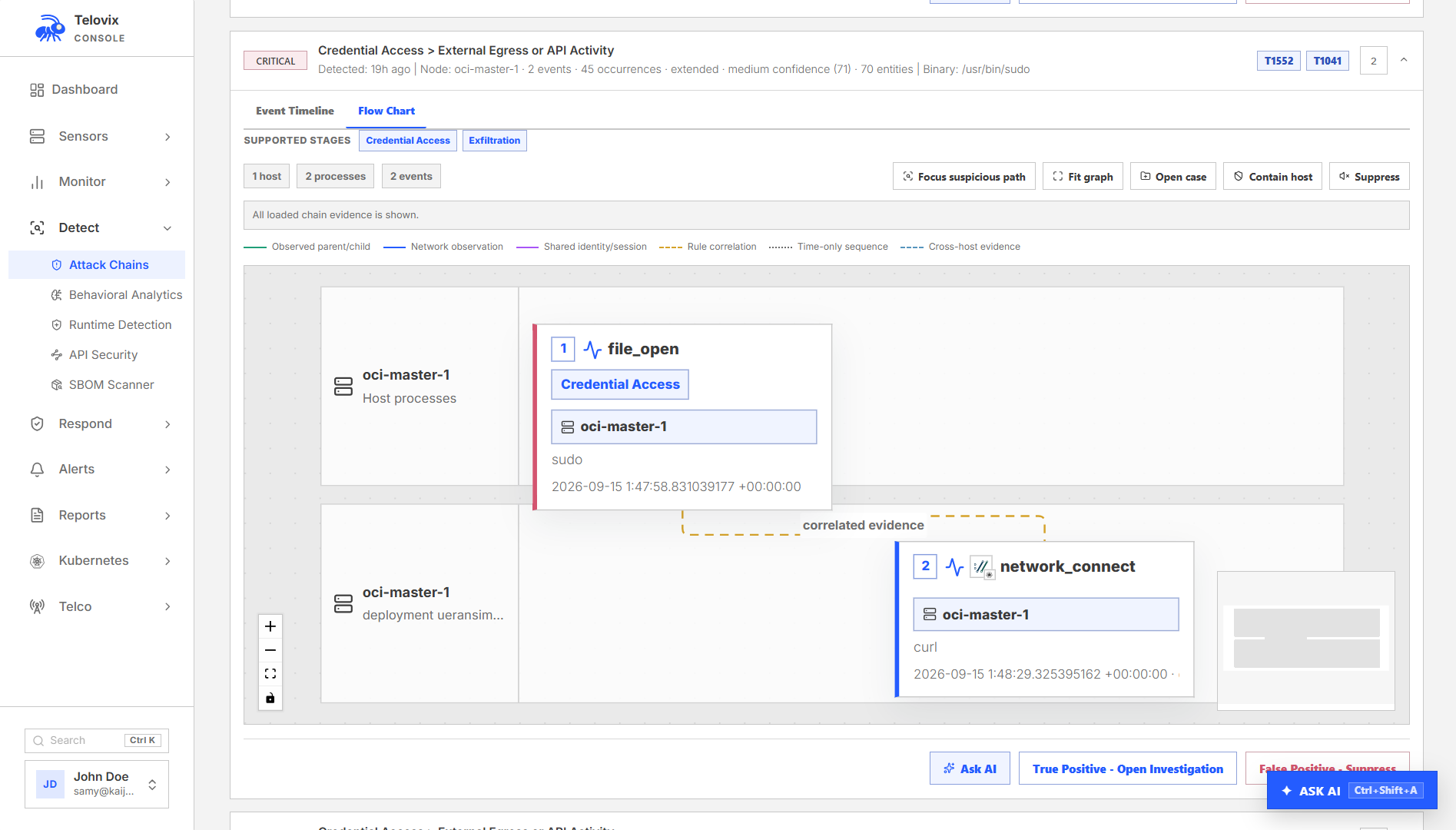
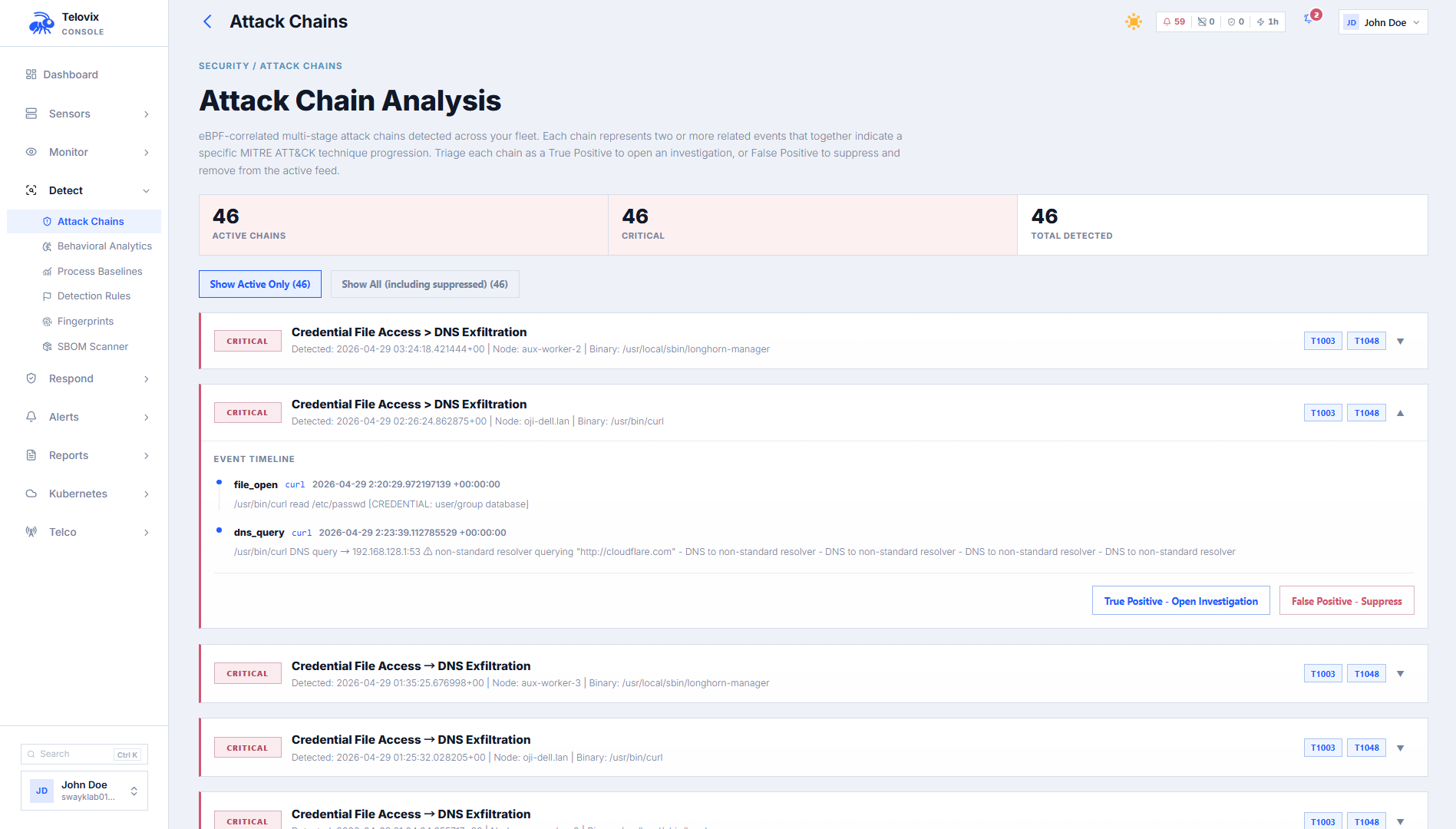
In the Console, navigate to Detect > Attack Chains. Use the Sensor and status filters to narrow the results, and enable Show Suppressed when you need to audit suppressed matches. The summary shows active, critical, and high-severity chains and highlights recent activity.
Filter parameters:
| Parameter | Default | Description |
|---|---|---|
sensor_id | (all sensors) | Filter to a specific sensor |
limit | 50 | Maximum records (1–200) |
show_suppressed | false | Include suppressed chain matches |
The summary banner returns active_count, critical_count, high_count, and the top 5 most recent chains.
Chain match record
Each chain match includes:
| Field | Description |
|---|---|
chain_id | The pattern identifier (e.g. process_injection_c2) |
chain_name | Human-readable chain name |
sensor_id | Sensor where the chain was detected |
node_name | Node display name |
binary_path | Absolute path of the primary binary involved |
severity | critical or high |
chain_start_at | Timestamp of the first step |
chain_end_at | Timestamp of the last step |
event_sequence | JSON array of ordered steps with event kind, binary, message, and timestamp |
mitre_techniques | MITRE ATT&CK technique IDs added by the API response layer |
Suppressing a chain
If a chain match is a known false positive, suppress it to remove it from the active view. Suppression requires analyst role.
Open the chain detail and choose False Positive - Suppress to remove that chain from the active view. To review it later, switch from Active to All. Open the chain and select Re-activate if it needs investigation again.
This changes the selected chain's status. It does not create an anomaly exception or disable detection for every similar future event.
Limitations
- Chain detection currently correlates events within one Sensor. Review Threat Graph and investigation evidence when assessing activity that may cross nodes.
- Only events within the 30-minute correlation window can contribute to a new chain.
- Repeated activity for the same pattern, Sensor, and executable is grouped for one hour.
- After a Console restart, correlation resumes from newly received events. Existing attack-chain records remain available.