

Appearance
Custom Detection Rules
Custom detection rules let you deploy operator-authored TracingPolicy YAML to sensors through the Console. They apply independently of policy packs and can target a specific sensor or the entire fleet. The Console validates the YAML before storing it, assigns a canonical name, and delivers the rules to sensors via the heartbeat response.
A maximum of 10 custom rules are supported per Console.
Prerequisites
operatorrole or higher on the Console- Target sensor already enrolled and reporting a
healthytrust state - Policy pack already assigned to the target sensor (custom rules supplement packs, they do not replace them)
How custom rules work
- The operator creates a rule via the Console UI, providing a name and a TracingPolicy YAML body.
- The Console validates the YAML (syntax, required fields, schema constraints) and returns an error if validation fails.
- The Console stores the rule and patches the
metadata.nametotelovix-custom-{rule_id}for consistency. - The rule appears in the
custom_tracing_policies[]array of the heartbeat response for targeted sensors. - The sensor receives the entry, verifies the Ed25519 signature (same signing key as policy packs), and applies the policy to the embedded eBPF engine.
- Disabled rules are removed from the engine on the next heartbeat cycle.
Rules support version history. Each update to the YAML creates a new version entry, and any previous version can be restored by index.
YAML validation rules
The Telovix Console rejects YAML that fails any of these checks:
| Check | Required value |
|---|---|
apiVersion | Must be exactly cilium.io/v1alpha1 |
kind | Must be exactly TracingPolicy |
metadata.name | Must be present and start with telovix-custom- |
spec.kprobes or spec.lsmhooks | At least one must be a non-empty array |
lsmhooks with matchArgs | Must also have an args array |
The YAML body is limited to 16 KB.
The lsmhooks + matchArgs trap
If an lsmhooks entry uses matchArgs but has no args array, the eBPF engine cannot resolve the match types. The policy loads and reports as healthy, but the selector silently matches nothing. The rule appears quiet rather than broken.
Always declare args when using matchArgs on an lsmhook. The error message from the Console names the correct type for common hooks:
args: [{index: 0, type: "linux_binprm"}]   # for bprm_check_security
args: [{index: 0, type: "file"}]            # for file_open
Creating and managing rules
In the Console, go to Policies > Custom Rules to view, create, update, enable, disable, or delete custom rules.
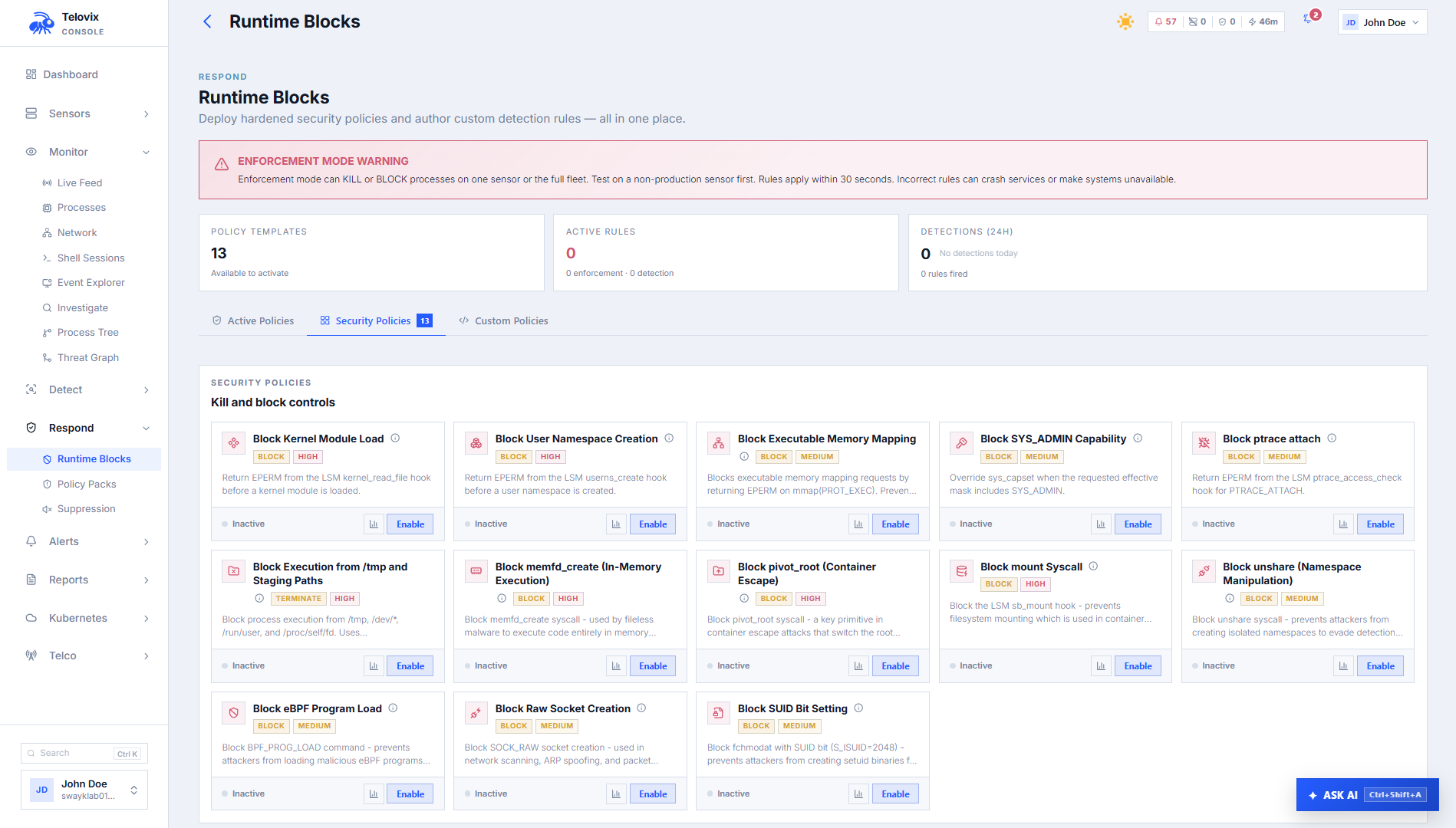
Creating a rule
In the Console, go to Policies > Custom Rules and click New Rule. Provide a name, optional description, and TracingPolicy YAML body. After creation, the Console patches the policy name to telovix-custom-{rule_id}. You do not need to know the final rule_id ahead of time; you can use a placeholder like telovix-custom-draft in the YAML.
To target a specific sensor, set the scope to a named sensor during creation. Without a sensor scope, the rule applies to all sensors.
TracingPolicy schema
Minimal observe-only rule (kprobe)
yaml
apiVersion: cilium.io/v1alpha1
kind: TracingPolicy
metadata:
  name: telovix-custom-observe-tmp-exec
spec:
  kprobes:
    - call: sys_execve
      syscall: true
      args:
        - index: 0
          type: string
      selectors:
        - matchArgs:
            - index: 0
              operator: Prefix
              values: ["/tmp/"]
          matchActions:
            - action: Post
Block execution from /tmp (LSM hook)
yaml
apiVersion: cilium.io/v1alpha1
kind: TracingPolicy
metadata:
  name: telovix-custom-block-tmp-direct
spec:
  lsmhooks:
    - hook: bprm_check_security
      args:
        - index: 0
          type: linux_binprm
      selectors:
        - matchArgs:
            - index: 0
              operator: Prefix
              values: ["/tmp/"]
          matchActions:
            - action: Override
              argError: -1
Note: the arg type for bprm_check_security is linux_binprm, not bprm.
Kill process on ptrace attach (kprobe)
yaml
apiVersion: cilium.io/v1alpha1
kind: TracingPolicy
metadata:
  name: telovix-custom-kill-ptrace
spec:
  kprobes:
    - call: sys_ptrace
      syscall: true
      args:
        - index: 0
          type: int
      selectors:
        - matchActions:
            - action: Signal
              argSig: 9
Action types
| Action | YAML | Effect | Hook requirement |
|---|---|---|---|
| Observe | action: Post | Record an event. No blocking. | Any hook |
| Kill | action: Signal + argSig: 9 | Send SIGKILL to the triggering process | Any hook |
| Block | action: Override + argError: -1 | Return kernel error, deny the operation before execution | BPF LSM hooks only |
Use Override (block) only on LSM-backed hooks such as bprm_check_security, file_open, socket_connect. Use Signal on kprobes when pre-execution denial is not available. Never use Override on a kprobe; it is not supported there.
Do not mix kprobes and lsmhooks in a single policy. If you need both hook types, create two separate rules so you can validate and revert them independently.
Enabling and disabling rules
In the Console, go to Policies > Custom Rules, select the rule, and use the Enable or Disable toggle. The change takes effect on the next heartbeat cycle for all targeted sensors.
Updating and restoring versions
Each update to a rule's YAML is stored as a new version. In the Console, go to Policies > Custom Rules > [rule] > History to review previous versions and restore any of them by index (0 = oldest).
Recommended rollout sequence
- Validate first: use the YAML validation step in the Console rule editor to catch schema errors before saving the rule.
- Observe before enforcing: create the rule with
action: Postand confirm it fires only on the activity you intend to control. Watch the rule's event feed for at least a full day on the target node type. - Single sensor canary: create or update the rule scoped to one non-critical sensor.
- Expand when stable: remove the sensor scope to apply fleet-wide after the canary is clean.
- Block last: change the action to
OverrideorSignalonly after the observe pass shows the match logic is correct.
WARNING
The most common authoring mistake is using matchArgs on an lsmhooks entry without a corresponding args array. The policy loads successfully but the selector silently matches nothing. Always add args when matchArgs is present on an lsmhook.
DANGER
Never introduce a new match condition and a blocking action in the same maintenance window on a critical network function. Add Post first, observe, then change to Override or Signal as a separate update.
Troubleshooting
Validation returns invalid_custom_rule_api_version
The apiVersion field is wrong or missing. Set it to exactly apiVersion: cilium.io/v1alpha1 with no variation in casing or path.
Validation returns invalid_custom_rule_name
The metadata.name field does not start with telovix-custom-. Use telovix-custom- as the prefix; the Console replaces the suffix with the assigned rule ID after creation, so you can use a placeholder such as telovix-custom-draft in your YAML.
Validation returns lsmhook_missing_args
An lsmhooks entry uses matchArgs but has no args array. The eBPF engine cannot resolve the match types without it. Add args: [{index: 0, type: "linux_binprm"}] for bprm_check_security, or args: [{index: 0, type: "file"}] for file_open.
Validation returns custom_rule_hooks_required
Both spec.kprobes and spec.lsmhooks are absent or empty. A valid rule requires at least one non-empty hook array under spec.
Creation returns custom_rule_limit_exceeded
The Console already has 10 custom rules, which is the maximum. Delete an existing rule before creating a new one.
Rule created but no events in Console
The selector is not matching, the hook is wrong, or the sensor has not yet received the rule. Check that the rule is enabled, verify the sensor shows the rule in its custom_tracing_policies list via the heartbeat, and confirm the match condition fires as expected by using action: Post in an observe-only test first.
Rule with Override action not blocking
BPF LSM is not active on this kernel. Run:
bash
cat /sys/kernel/security/lsm | grep bpfExpected output if BPF LSM is active:
lockdown,capability,yama,apparmor,bpfIf bpf is absent from the output, LSM hooks load but Override actions have no effect. The Override action requires CONFIG_BPF_LSM=y in the kernel configuration and lsm=...,bpf in the boot parameters.
Verifying a rule is loaded on a sensor
After creating a rule, confirm the sensor has received and loaded it within one heartbeat cycle (up to 15 seconds). On the sensor host:
bash
journalctl -u telovix-sensor -n 50 --no-pager | grep "custom_rule\|policy"Expected output when the rule is loaded:
[telovix] policy applied name=telovix-custom-observe-tmp-execIf the rule does not appear, check the rule is enabled in Policies > Custom Rules and confirm the sensor is healthy in the Console.