

SIEM Integrations
SIEM Integrations forwards selected Telovix runtime and anomaly evidence to an external security platform. Each destination has its own event kinds, minimum severity, anomaly setting, credentials, status, and enable switch.
Open Reports > SIEM Integrations. Creating or changing a destination requires Admin access.
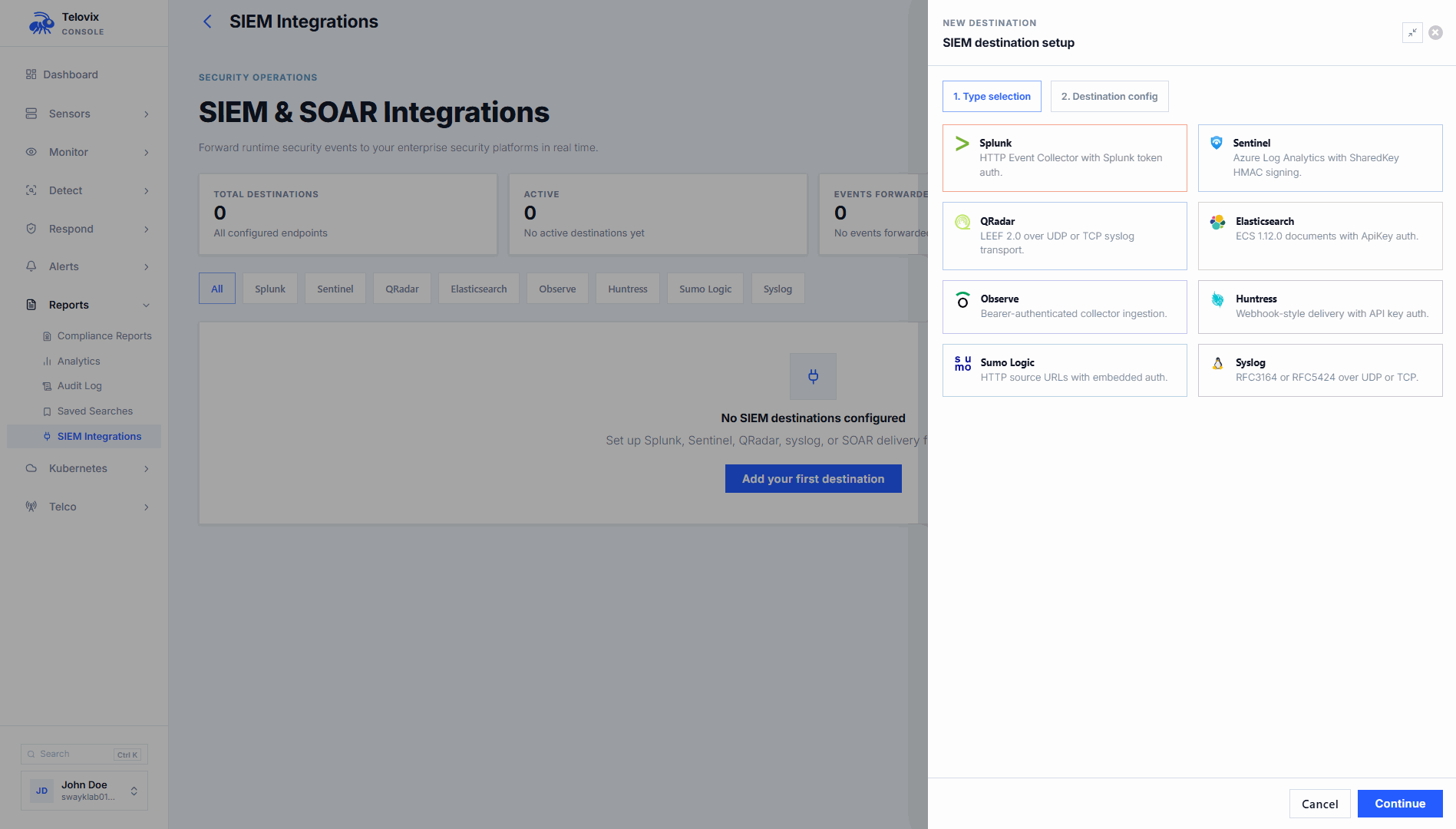
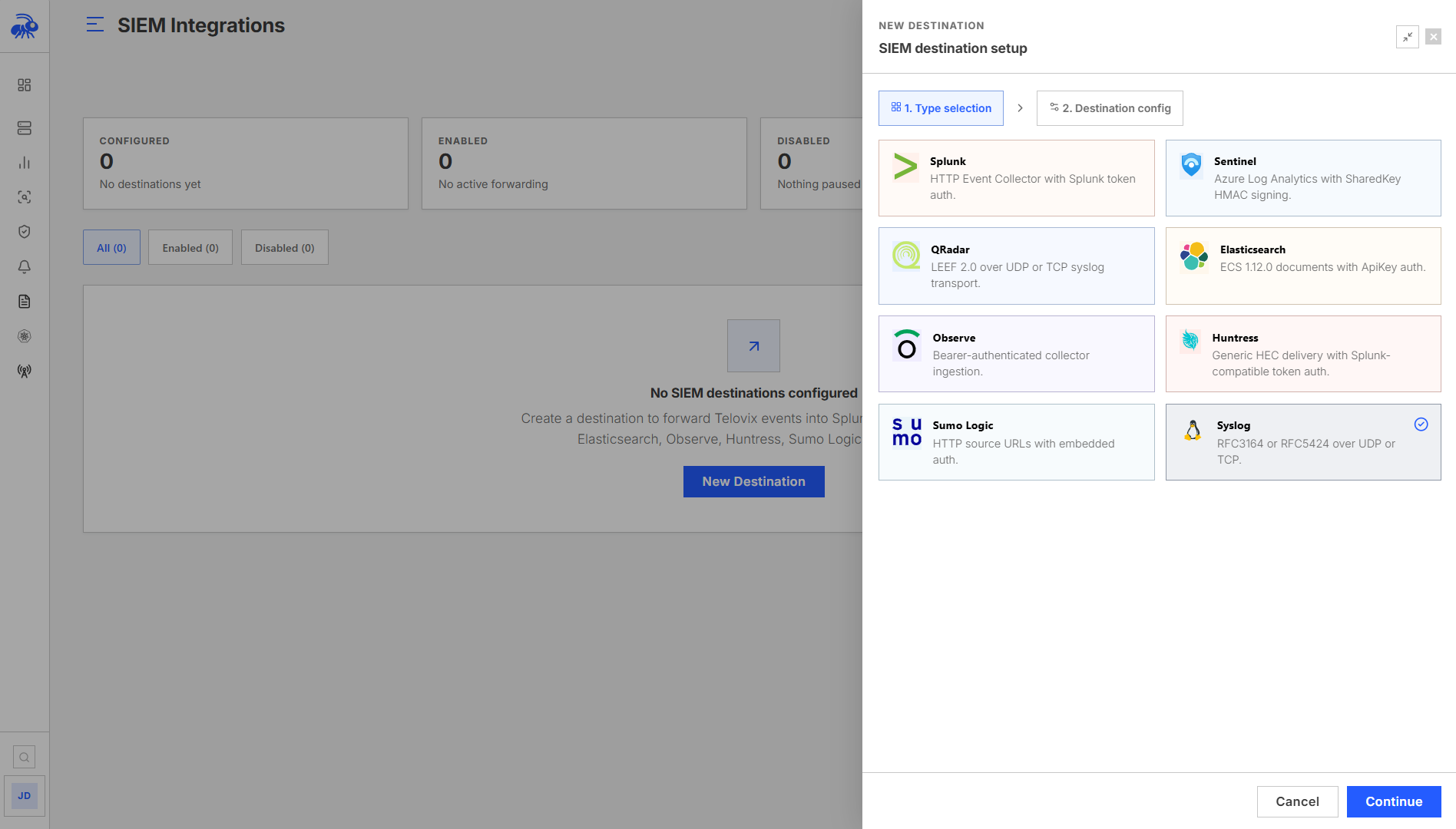
Supported destinations
| Destination | Delivery | Format and authentication |
|---|---|---|
| Splunk | HTTPS | Splunk HEC JSON with HEC token authentication |
| Microsoft Sentinel | HTTPS | Logs Ingestion with application credentials, or Legacy Data Collector with workspace shared-key signing |
| Elasticsearch / OpenSearch | HTTPS | ECS documents with API key authentication |
| QRadar | UDP or TCP | LEEF 2.0 |
| Observe | HTTPS | Telovix JSON with bearer token authentication |
| Huntress | HTTPS | HEC-compatible JSON with Splunk token authentication |
| Sumo Logic | HTTPS | Telovix JSON to an HTTP Source URL |
| Syslog | UDP or TCP | RFC 5424 or RFC 3164 |
Create a destination
- Select Add destination.
- Choose the destination type.
- Enter a name and the provider-specific connection fields.
- Select the event kinds to forward.
- Choose the minimum severity.
- Enable Forward anomalies if behavioral anomaly evidence is required.
- Save the destination. Forwarding is enabled immediately, so matching events can be sent before you test it.
- Select Test Connection.
- Confirm the test event appears in the destination and review the first forwarded events.
Start with a narrow set of event kinds and a high severity threshold. Expand the selection after confirming expected volume and field mapping in the SIEM.
Destination fields
Splunk
| Field | Value |
|---|---|
| URL | Complete HEC event endpoint, such as https://splunk.example.com:8088/services/collector/event |
| Token | HEC token for the target input |
Ensure HEC is enabled, the token is active, and the Console can validate the Splunk certificate.
Microsoft Sentinel
Choose an Ingestion mode. Logs Ingestion is the default for new destinations; existing Legacy Data Collector configurations are not migrated automatically.
For Logs Ingestion, create the destination table and Data Collection Rule (DCR) in Azure first. Give the application permission to ingest through that DCR.
| Field | Value |
|---|---|
| DCR stream ingestion URL | The complete Azure public-cloud DCR stream ingestion URL. |
| Directory (tenant) ID | The directory containing the application. |
| Application (client) ID | The application allowed to ingest data. |
| Client secret | An active secret for that application. |
The configured stream must accept TimeGenerated as a datetime and TelovixEvent as a dynamic field. Your DCR determines the destination table. Telovix does not create the table or DCR. This mode supports Azure public-cloud ingestion endpoints.
For Legacy Data Collector, provide the Workspace ID and Shared key. Events use the TelovixSecurityEvents log type. Use the matching custom table when querying legacy deliveries.
Elasticsearch or OpenSearch
| Field | Value |
|---|---|
| URL | Cluster URL, such as https://elastic.example.com:9200 |
| API key | Encoded API key accepted by the cluster |
| Index | Destination index, default telovix-events |
The API key must allow document creation in the selected index. The Console sends an ECS-compatible document to the index document endpoint.
QRadar
| Field | Value |
|---|---|
| Host | QRadar event collector hostname or address |
| Port | Listener port, commonly 514 |
| Protocol | UDP or TCP |
Configure a QRadar log source that accepts LEEF 2.0 from the Console address.
Observe
| Field | Value |
|---|---|
| URL | Observe HTTP collector URL |
| Token | Datastream or collector token |
Huntress
| Field | Value |
|---|---|
| URL | Huntress-provided HEC-compatible ingestion URL |
| Token | Huntress-provided ingestion token |
Telovix uses the Splunk-compatible token scheme for this destination. Use the URL and token supplied for the Huntress integration rather than a general Huntress API endpoint.
Sumo Logic
| Field | Value |
|---|---|
| URL | Complete Sumo Logic HTTP Source URL |
Authentication is contained in the source URL. Treat the complete URL as a credential.
Syslog
| Field | Value |
|---|---|
| Host | Syslog receiver hostname or address |
| Port | Listener port, commonly 514 |
| Protocol | UDP or TCP |
| Format | RFC 5424 or RFC 3164 |
Choose the format configured by the receiver. TCP provides transport feedback; UDP delivery can appear successful even when a downstream collector discards the message.
Select evidence to forward
The destination editor supports these common event categories:
- process execution;
- network connections;
- file writes and file opens;
- DNS queries;
- file integrity alerts;
- privilege changes;
- anomaly events.
Use Minimum severity to send all events or only Low+, Medium+, High+, or Critical evidence. Forward anomalies controls behavioral anomaly forwarding separately.
Filters apply independently to each destination, so a paging SIEM can receive only high-severity evidence while another SIEM destination receives a broader set. For complete received sensor-payload archives, configure Data Lake.
Test and monitor a destination
An Admin must save destination changes before testing. Select Test Connection and verify both sides:
- Telovix reports a successful test.
- The destination receives the event in the expected index, source, table, or log stream.
- Timestamp, sensor, event kind, severity, process, and workload fields are searchable.
Destination cards show whether forwarding is enabled and the latest available test or forwarding status. A successful connectivity test proves that the test payload was accepted; it does not prove that every production filter or downstream parsing rule is correct.
Generated alerts are retried after transient delivery failures. A retry can produce a duplicate at the receiver, so use the alert or event identity when correlating records.
Disabling a destination pauses forwarding and queued work. Re-enabling can deliver pending older alerts. Enabling a destination does not backfill all historical alerts.
Common forwarded fields
Provider-specific formatting differs, but supported destinations receive the available event identity and context, including:
- observation time and event ID;
- sensor ID and node name;
- event kind, severity, and message;
- process and parent executable;
- PID and UID;
- Kubernetes namespace, pod, and workload;
- DNS hostname;
- process arguments when present.
Optional fields are absent when the original event did not contain them.
Validation checklist
- Test events arrive at every enabled destination.
- The destination clock and
observed_attimestamp agree. - Severity and event-kind filters produce the intended subset.
- Anomaly forwarding is tested separately when enabled.
- Process and Kubernetes fields map to searchable fields.
- Network policy and firewalls allow the Console to reach the destination.
- HTTPS certificate trust is valid.
- UDP or TCP listeners use the configured host and port.
- Destination credentials have only the permissions required for ingestion.
Troubleshooting
| Symptom | Check |
|---|---|
| Test fails immediately | Confirm all required fields, URL scheme, host, port, and credential type. |
| HTTP destination returns unauthorized | Recreate or rotate the provider credential and verify the destination-specific authentication scheme. |
| Sentinel Logs Ingestion rejects the request | Check the DCR ingestion URL, stream schema, application permissions, tenant ID, client ID, and client secret. |
| Sentinel Legacy Data Collector rejects the request | Confirm the workspace ID and use the workspace primary or secondary shared key. |
| Elasticsearch rejects indexing | Confirm API key permissions, index name, cluster URL, and certificate trust. |
| QRadar or Syslog shows no event | Confirm listener address, port, protocol, firewall, source allowlist, and receiver format. |
| Test succeeds but production events do not arrive | Confirm the destination is enabled and review event-kind, severity, and anomaly filters. |
| Events arrive with missing optional fields | Open the original event in Investigate; fields not observed by Telovix are not invented during forwarding. |