Appearance
Sensor: Ephemeral / Cloud-Init
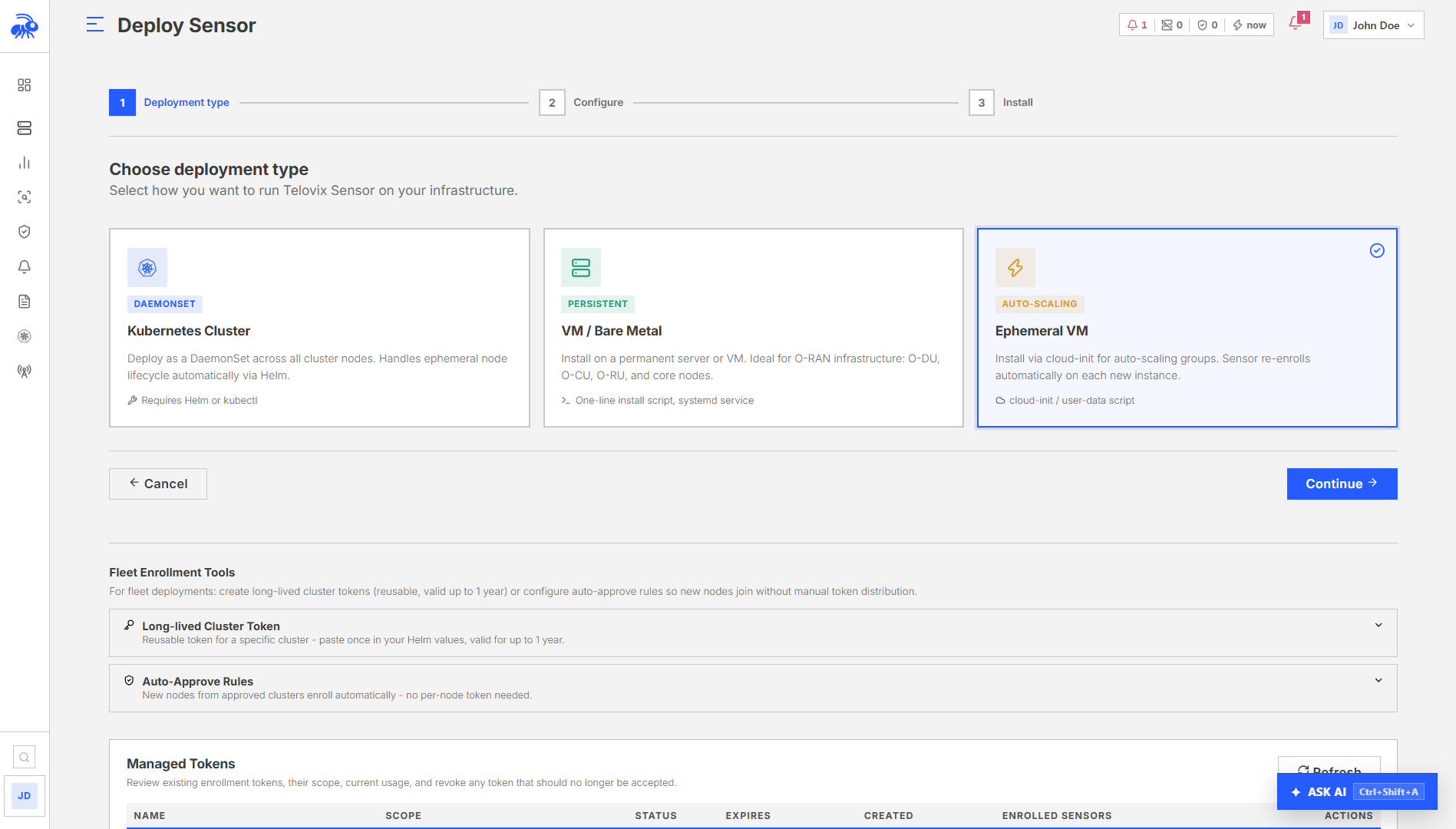
Ephemeral nodes are hosts that exist for a bounded period: cloud instances that spin up and down on demand, CI/CD test workers, short-lived lab VMs, and autoscaled bare-metal pools. The Telovix Sensor installs and enrolls normally on these nodes.
There is no special "ephemeral mode" in the sensor or Console. Ephemeral nodes use the same enrollment flow as long-lived hosts. The differences are operational: token scope, naming conventions, and how you manage stale records in Sensors.
Prerequisites
- Enrollment token already created in the Console (one-time or cluster token), or
operatorrole to create one via the Console UI or API - Target nodes running Linux with systemd
- Kernel version 5.4 or later on each target node
- BTF (BPF Type Format) enabled on each target node (
/sys/kernel/btf/vmlinuxmust exist) - Outbound TCP connectivity from each target node to the Console on port
15483
Enrollment token strategy
Two token types are relevant for ephemeral infrastructure:
| Token type | TTL | Reuse | Best for |
|---|---|---|---|
| One-time bare-metal token | 15 minutes (configurable) | Single use, consumed at enrollment | Controlled one-at-a-time provisioning |
| Kubernetes cluster token | 365 days | Reusable by all nodes in the cluster | DaemonSets, autoscaled node pools using Kubernetes |
For bare-metal or VM autoscaling outside Kubernetes, there is no persistent reusable "fleet token" beyond the cluster token type. Generate enrollment tokens as needed, or automate token generation via the API and inject them into instance user data at launch time.
::: note Do not share enrollment tokens across environments. A token generated for a lab node should not be reused in production provisioning. Tokens are short-lived by design; use the API to generate fresh ones per launch batch rather than embedding a single long-lived token in a machine image. :::
Node naming for ephemeral fleets
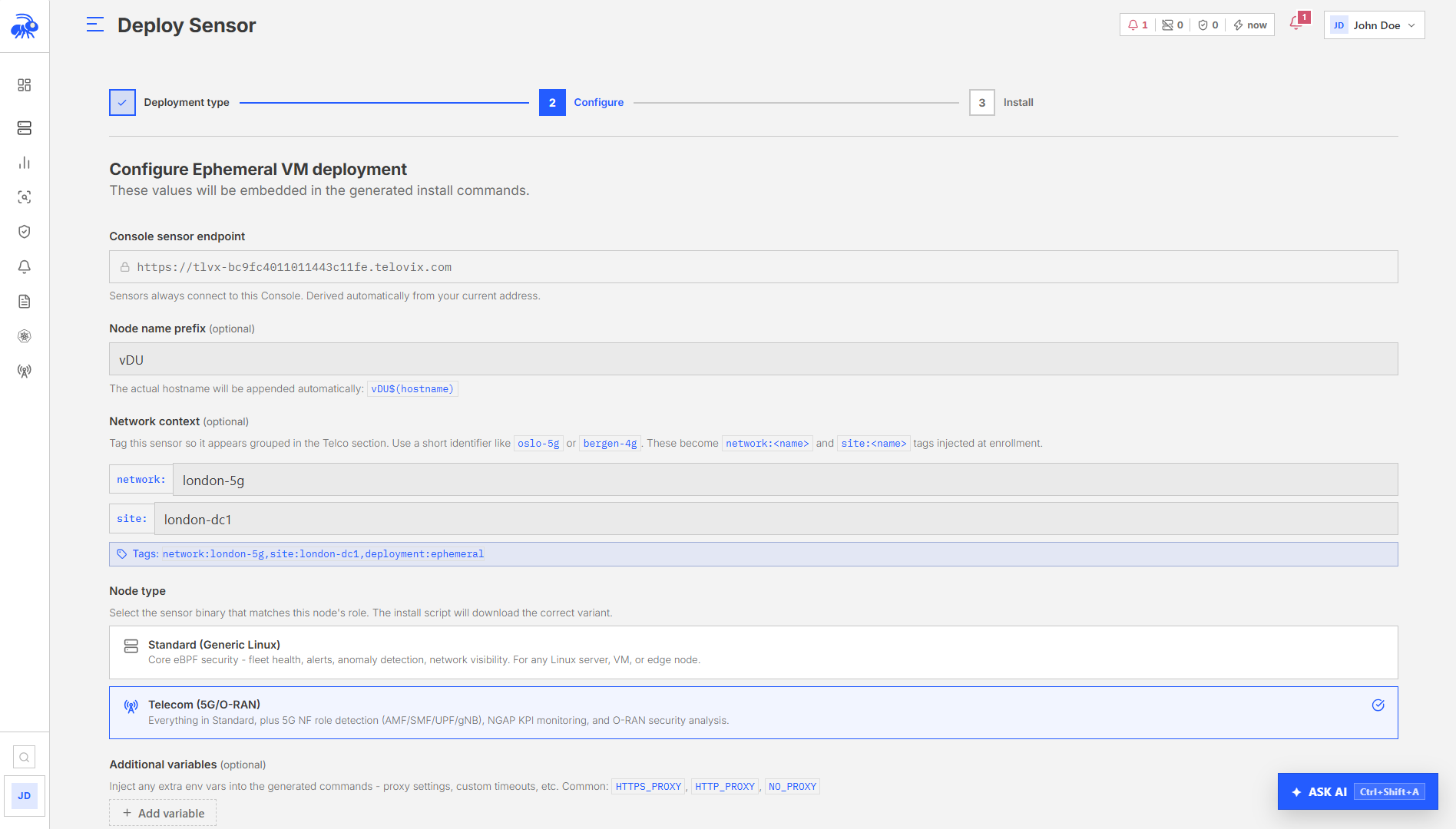
The node name shown in the Console defaults to the system hostname. On ephemeral nodes, hostnames are often random or recycled, which makes Sensors difficult to interpret after the fact.
Recommended approach: construct a stable, unique name from instance metadata available at provisioning time and pass it to the install script. Examples:
bash
# AWS: use instance ID
NODE_NAME="$(curl -sf http://169.254.169.254/latest/meta-data/instance-id)-worker"
# GCP: use instance name from metadata
NODE_NAME="$(curl -sf "http://metadata.google.internal/computeMetadata/v1/instance/name" \
-H "Metadata-Flavor: Google")"
# Generic: hostname + timestamp
NODE_NAME="$(hostname -s)-$(date +%Y%m%d%H%M%S)"
# CI: use CI pipeline and job ID
NODE_NAME="ci-${CI_PIPELINE_ID:-0}-${CI_JOB_ID:-0}"Use tags to classify the node for filtering. For example: env:lab,lifecycle:ephemeral,pool:ci-workers. Tags are applied once at enrollment and can be edited afterward from Sensors > [sensor] > Edit Tags. They appear in the Sensors filter bar and in alert context.
Cloud-init / user data pattern
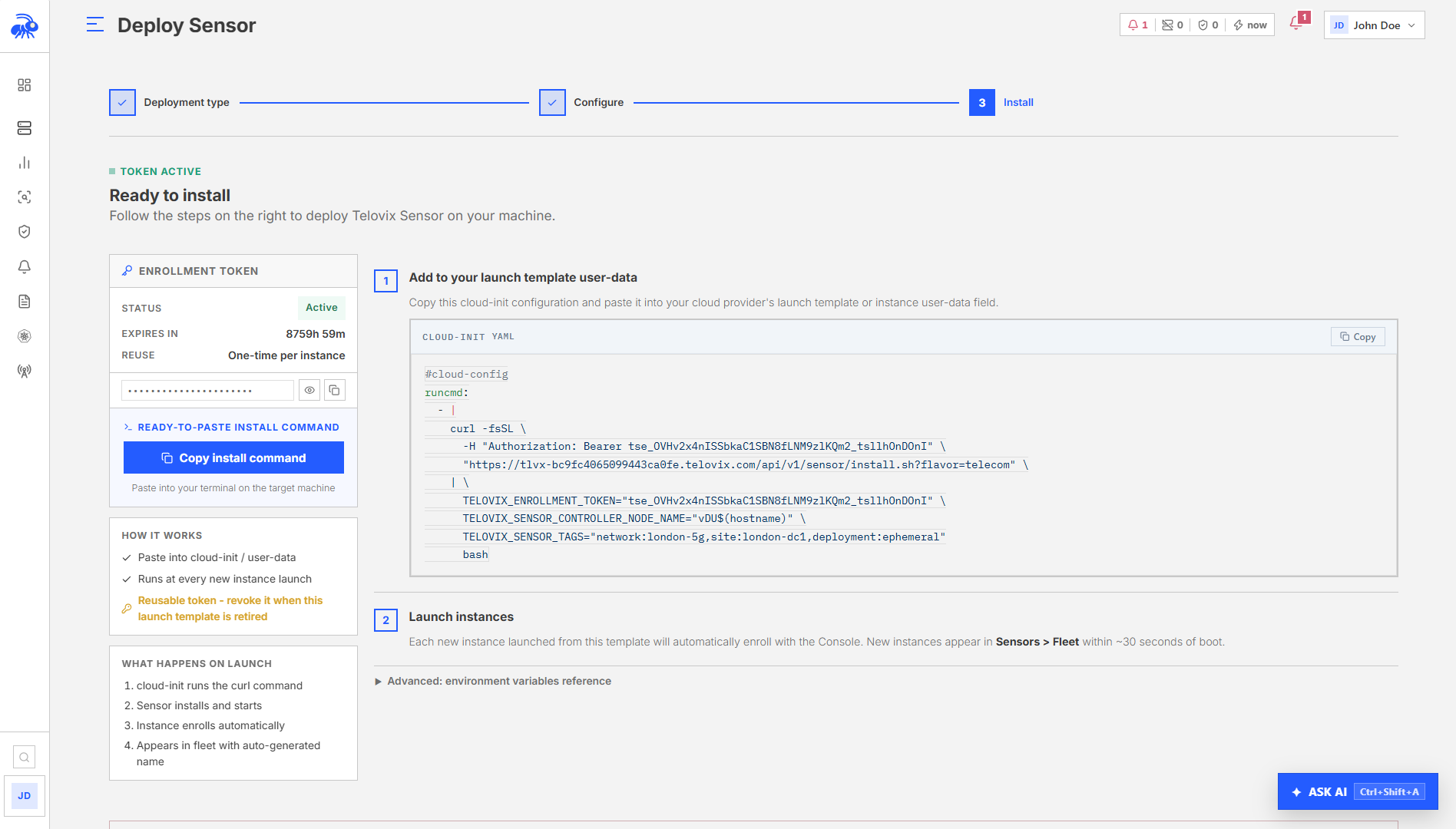
The most reliable way to enroll an ephemeral node is to run the install script in the provisioning phase, before the workload starts. The following patterns work with any cloud-init compatible provisioning system.
cloud-config (YAML format)
The install script accepts enrollment token, node role, node name, and tags as inline options. Resolve the node name from instance metadata before calling the script.
yaml
#cloud-config
runcmd:
- |
NODE_NAME="$(curl -sf http://169.254.169.254/latest/meta-data/instance-id 2>/dev/null || hostname)"
bash <(curl -fsSL https://console.example.com:15483/api/v1/sensor/install.sh) \
--token "<token>" \
--role generic_linux \
--name "${NODE_NAME}" \
--tags "env:lab,pool:autoscale"Shell-based user data
bash
#!/bin/bash
set -euo pipefail
# Resolve node identity from instance metadata
INSTANCE_ID="$(curl -sf http://169.254.169.254/latest/meta-data/instance-id 2>/dev/null || hostname)"
bash <(curl -fsSL https://console.example.com:15483/api/v1/sensor/install.sh) \
--token "<token>" \
--role generic_linux \
--name "${INSTANCE_ID}-worker" \
--tags "env:lab,pool:autoscale"Packer image build
For baking a sensor into a machine image, you can run the install script during the build phase. The node will already have the binary and service installed when it starts. However, the enrollment token must still be injected at launch time (not baked into the image), because:
- The token is single-use and expires in 15 minutes
- Baking a token into an image shares that token across all instances launched from it
Pattern for Packer builds:
json
{
"provisioners": [
{
"type": "shell",
"inline": [
"apt-get install -y curl",
"curl -fsSL -o /usr/local/bin/telovix-sensor https://console.example.com:15483/api/v1/sensor/download/amd64",
"chmod +x /usr/local/bin/telovix-sensor",
"mkdir -p /etc/telovix-sensor /var/lib/telovix-sensor"
]
}
]
}Then inject the enrollment details at launch time via user data and start the service:
bash
# At instance launch (via user data):
INSTANCE_ID="$(curl -sf http://169.254.169.254/latest/meta-data/instance-id)"
bash <(curl -fsSL https://console.example.com:15483/api/v1/sensor/install.sh) \
--token "<fresh-token>" \
--role generic_linux \
--name "${INSTANCE_ID}-worker" \
--tags "env:lab,pool:packer-base"Automating token generation
For large-scale ephemeral provisioning, generate enrollment tokens from the Console rather than pre-creating them manually. In the Console, go to Sensors > Enrollment Tokens > Generate Token to create a new one-time token. For automated provisioning pipelines, use the Console API (see the Console REST API reference) to generate tokens programmatically and inject them into instance user data at launch time.
Tokens are valid for 15 minutes by default (configurable from Console Settings > Enrollment). For large autoscale groups launching many instances simultaneously, generate tokens in bulk before the launch batch or extend the TTL for that window.
Fleet state for ephemeral nodes
When an ephemeral node terminates without running the uninstall script, its sensor record remains in Sensors. The Console uses the heartbeat timeout to change the sensor's status:
| Status | Condition |
|---|---|
healthy | Heartbeats arriving normally |
degraded (watch) | No heartbeat for approximately 45 seconds (3 missed cycles at 15s interval) |
stale | No heartbeat for approximately 90 seconds (configurable from Console Settings) |
offline | No heartbeat for approximately 4x the stale threshold (~6 minutes by default) |
The retention loop removes sensor metrics after 30 days (configurable from Console Settings > Retention). However, sensor records (the fleet entry, certificates, and audit history) are not automatically deleted. On high-volume ephemeral fleets, orphaned records accumulate in Sensors.
To delete orphaned sensor records:
- From the Console UI: Sensors > select the sensor > Actions > Delete. This requires the
adminrole.
Deletion is permanent and is recorded in the audit log with action type sensor_deleted.
For bulk cleanup of stale sensors, filter Sensors by status stale using the Status filter, then select and delete the records in bulk. Alternatively, use the Console REST API (see the API reference) to list sensors by status and delete them programmatically.
Graceful cleanup on instance termination
If your instance lifecycle tooling supports pre-termination hooks (AWS lifecycle hooks, GCP shutdown scripts, Azure term notifications), run the uninstall script before the instance terminates:
bash
# In a shutdown/termination hook:
bash <(curl -fsSL \
--cert /var/lib/telovix-sensor/client.cert.pem \
--key /var/lib/telovix-sensor/client.key.pem \
--cacert /etc/telovix-sensor/console-ca.cert.pem \
"https://console.example.com:15483/api/v1/sensor/uninstall.sh")The uninstall script notifies the Console to decommission the sensor over mTLS, removes the sensor record, then removes all local files. If the Console is unreachable, the script completes the local cleanup anyway and logs a warning. You may need to delete the sensor record manually from the Console in that case.
Practical recommendations
| Concern | Recommendation |
|---|---|
| Token scope | Generate fresh tokens per launch batch, not per instance. Do not bake tokens into images. |
| Node naming | Build the name from stable instance metadata (instance ID, job ID) rather than from hostnames |
| Tags | Use env:lab, lifecycle:ephemeral, or pool:<name> to separate ephemeral nodes from production in fleet filters |
| Policies | Use observe-only packs on ephemeral nodes. Enforcement on short-lived infrastructure adds operational risk without proportional benefit. |
| Cleanup | Run the uninstall script in shutdown hooks when available. For nodes without hooks, schedule periodic bulk deletion of stale records via the API. |
| License limit | Each enrolled sensor (even stale ones) counts as an active node until the record is deleted. On high-volume fleets, delete stale records regularly to stay within the license max_protected_nodes limit. |