

Network View and DNS Activity
Network View connects network activity to the process, container, workload, and sensor that produced it. Use it to answer which service opened a socket, where it connected, which resolver answered a lookup, and whether a later connection used a returned address.
Open Network from the Console command menu. You can also pivot to Network evidence from Runtime Explorer, Process Tree, Investigate, API Security, or a finding drawer.
Views
| View | Use it to |
|---|---|
| Active Connections | Review current connections and their local and remote endpoints. |
| Listening Services | Find processes accepting inbound traffic and the addresses and ports they expose. |
| DNS Activity | Investigate DNS requests, resolver responses, answers, latency, and related connections. |
| Closed Flows | Review completed connections with destination, duration, time, and final state when available. |
Select a sensor when you need exact host context. Fleet scope is useful for discovery, but a focused sensor scope makes process and destination evidence easier to interpret.
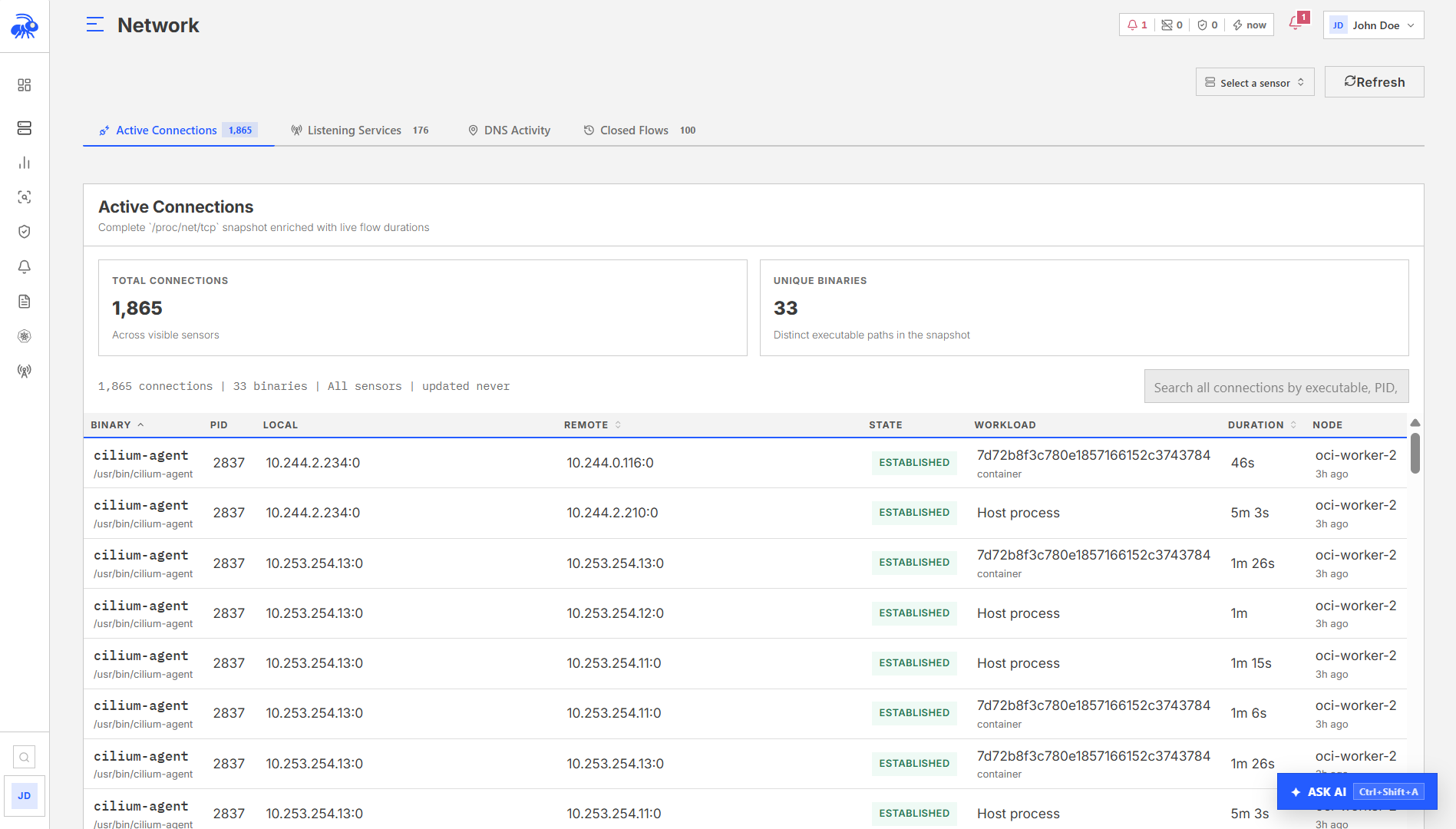
Active Connections
Use the search and filters to find a process, host, workload, local address, remote address, port, or protocol. Select a row to review the process path, PID, workload identity, connection direction, endpoints, and observation time.
Active Connections is a current-state view. A short-lived connection may close before it appears here; use Closed Flows, Live Feed, or Investigate for recent historical evidence.
Listening Services
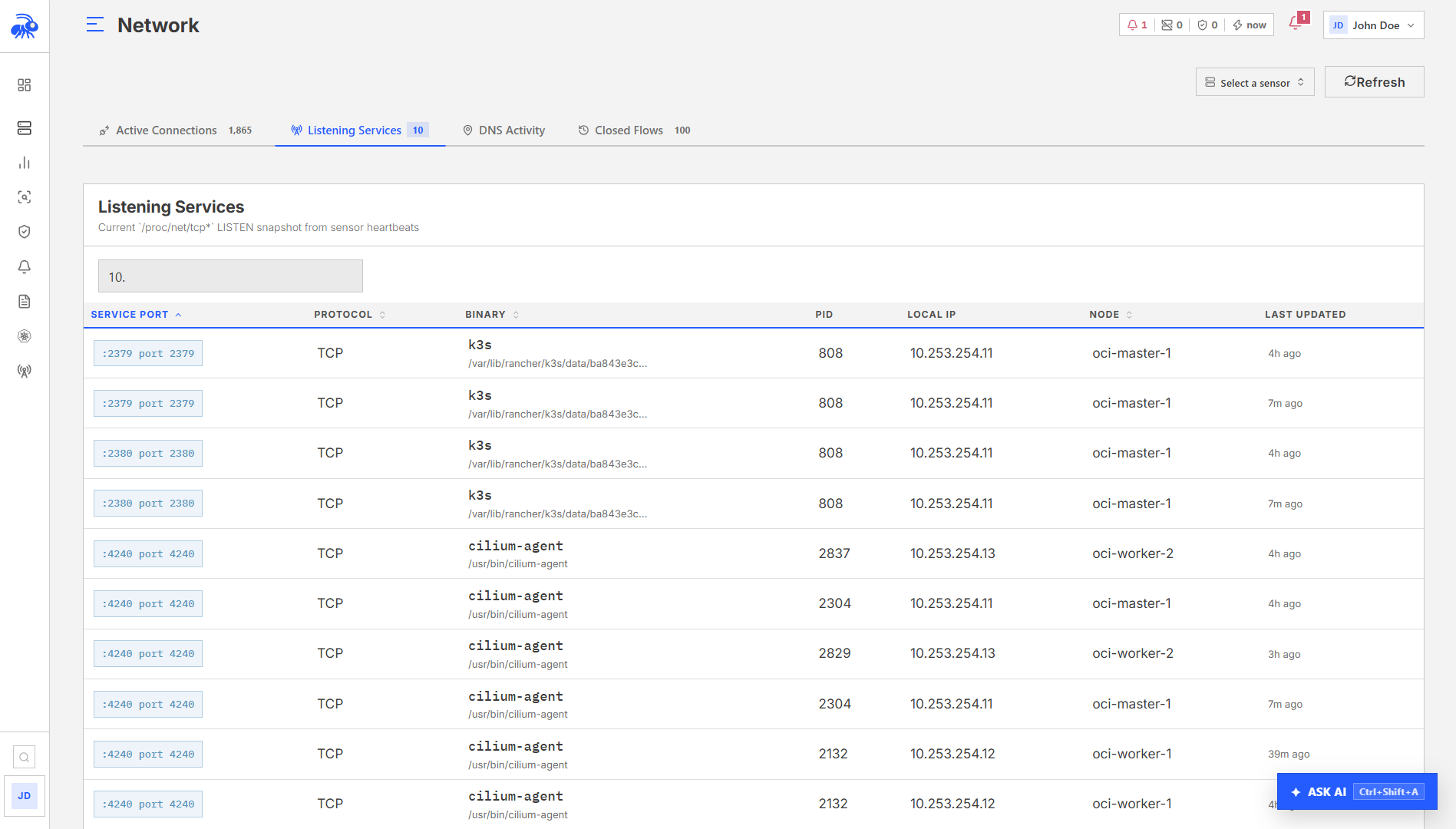
Listening Services shows the processes exposing TCP or UDP sockets. Review this view when validating a deployment, investigating unexpected exposure, or confirming that a telecom network function is bound to the expected interface and port.
Useful fields include:
- full process path and PID;
- local address and port;
- transport protocol;
- sensor and host;
- container or Kubernetes workload, when available;
- last observation time.
An address such as 0.0.0.0 or :: means the service is listening on all addresses for that address family. It does not by itself prove external reachability.
DNS Activity
DNS Activity separates lookup intent, resolver exchange, answers, and later network use. Search and filtering run across the complete selected time range rather than only the current page.
Use the filters for sensor, process, query type, protocol, response code, resolver, coverage state, and time. Large result sets use cursor pagination.
Read a DNS row
| Column | Meaning |
|---|---|
| Process | Full executable path and available PID, execution, container, and workload identity. |
| Query | Requested hostname, record type, and DNS transport. |
| Resolver | Resolver service or address and port that received the request. |
| Response | Response code, returned addresses or records, TTL, and measured response latency when paired. |
| Coverage | Whether request and response evidence was paired, partial, encrypted, truncated, lost, or unsupported. |
Select a row to open the standard evidence panel. The relationship view follows:
Process -> Resolver -> Domain -> Answers -> Subsequent connections
A subsequent connection is marked as inferred. A matching address and time provide investigation context, not proof that the lookup caused the connection.
DNS record types
DNS Activity can display common records including A, AAAA, CNAME, SRV, and TXT. The answer section shows only records observed in the response. An empty answer can be valid for responses such as NXDOMAIN or NODATA; check the response code and coverage state.
Coverage states
| State | Interpretation |
|---|---|
| Paired | A request and its resolver response were matched. |
| Request only | The request was observed, but no matching response is available. |
| Response only | A response was observed without its matching request. |
| Encrypted metadata | Telovix identified encrypted DNS activity, but plaintext DNS fields are not available. |
| Truncated | The available DNS message or evidence was incomplete. |
| Lost | Capture or delivery loss affected the observation. |
| Unsupported protocol | The DNS transport or format is not currently decoded. |
Do not interpret Request only as a resolver failure without checking capture coverage and the selected time range.
Closed Flows
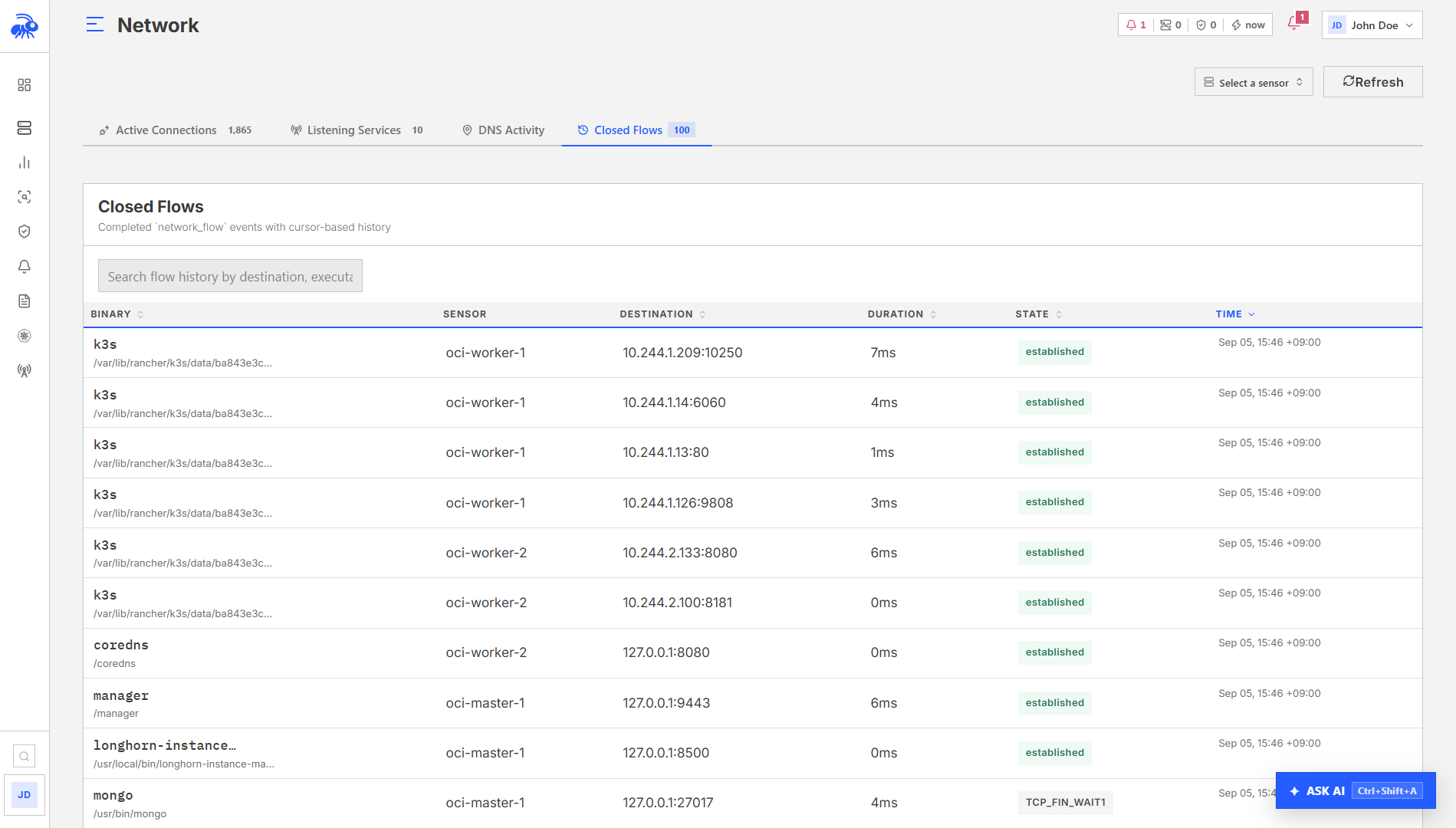
Closed Flows is the historical connection view. Compare process, sensor, destination, duration, final state, and observation time for activity that is no longer visible in Active Connections.
Select a sensor and use search to narrow the results. Use Previous and Next to browse additional pages. For a specific historical range or more detailed protocol conditions, open Investigate.
Network and API Security
Network View answers connection-level questions: sockets, resolvers, addresses, ports, and flows. API Security answers application-level questions: methods, routes, callers, destinations, request and response evidence, threats, and contracts.
Use both views during an investigation. Start from the API endpoint when the route is known, or from Network View when the first evidence is an address, port, resolver, or process.
Troubleshooting
| Symptom | Check |
|---|---|
| A connection is missing | Check Closed Flows and Investigate; the connection may have ended before the current-state view refreshed. |
| Process is not linked | Confirm the process was still observable when the network evidence was recorded and inspect the sensor scope. |
| Resolver is not linked | Check the resolver address, DNS coverage state, encrypted DNS state, and selected time range. |
| DNS answers are empty | Check response code, response-only/request-only state, truncation, and whether the query type normally returns an address. |
| Subsequent connection is marked inferred | Open the relationship evidence; the available data did not prove a direct lookup-to-connection link. |
| Results are too broad | Select a sensor and shorter time range, then filter by process, address, port, resolver, or query. |