

Containment and Isolation
Telovix provides separate controls for stopping a live process, preventing an executable from running again, restricting new outbound connections, and changing a Sensor's fleet or trust state. Choose the narrowest control that addresses the incident.
WARNING
Response actions can interrupt applications, node services, container runtimes, and telecom network functions. Confirm the target and scope before applying them.
Permissions
- Operator or Admin: kill a process, block an executable, contain a host, or release containment.
- Admin: disable, revoke, or delete a Sensor.
Controls are hidden or unavailable when the signed-in role cannot use them.
Controls overview
| Control | Effect | Reversible |
|---|---|---|
| Kill Process | Sends SIGKILL to a verified live process instance | No; the process has ended |
| Block Binary | Prevents future execution of one exact executable path on the selected Sensor | Yes; remove the rule |
| Network Containment | Restricts new outbound connections covered by the containment policy | Yes; release containment |
| Disable Sensor | Marks the Sensor disabled without revoking its identity | Yes; enable it again |
| Revoke Sensor | Invalidates the Sensor's client identity | Re-enrollment required |
| Delete Sensor | Removes the Sensor record from the Console | No |
Kill a live process
Open a live process from Process Tree or Investigate, review its executable, host, user, workload, start time, and execution identity, then select Kill Process.
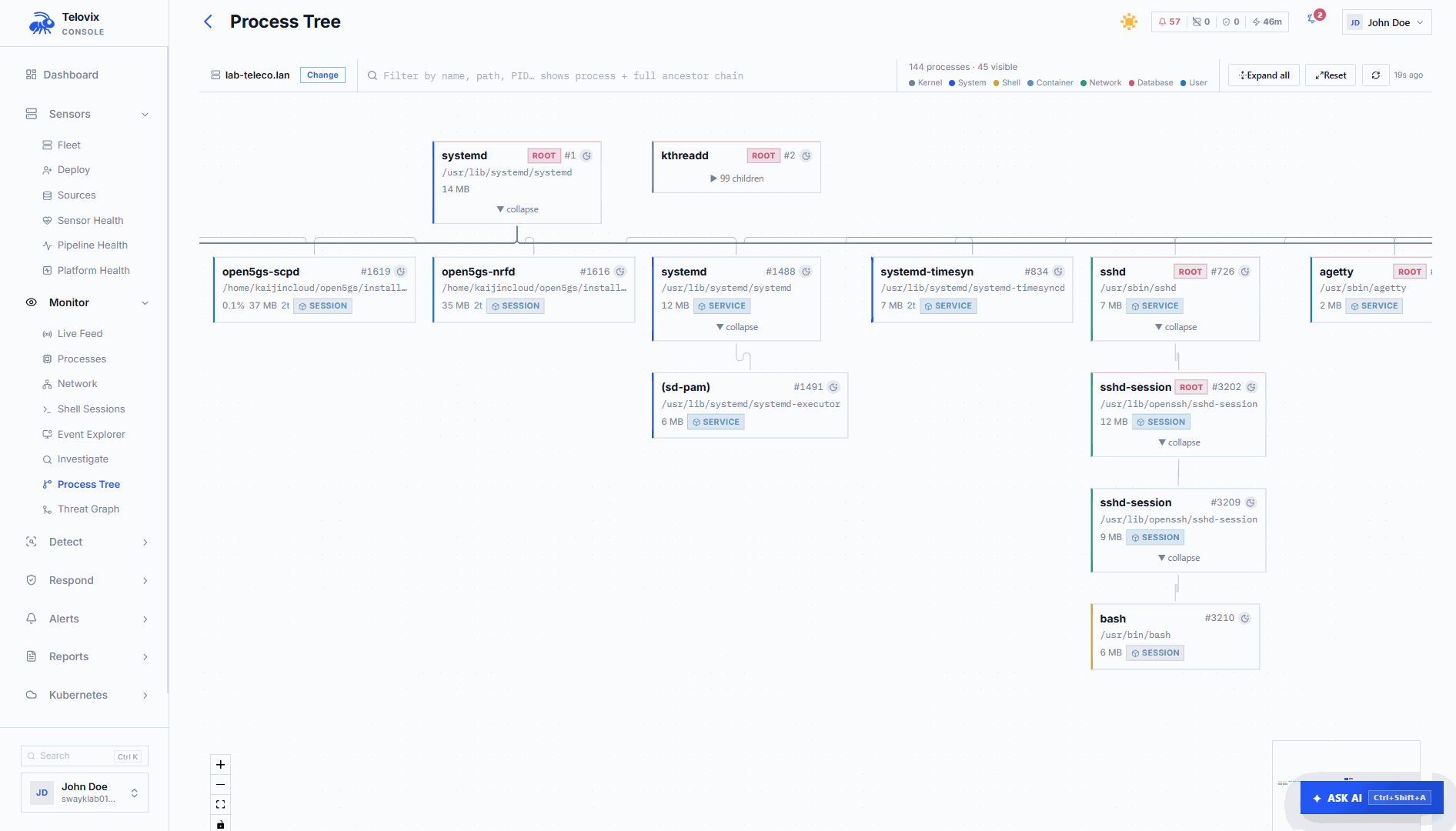
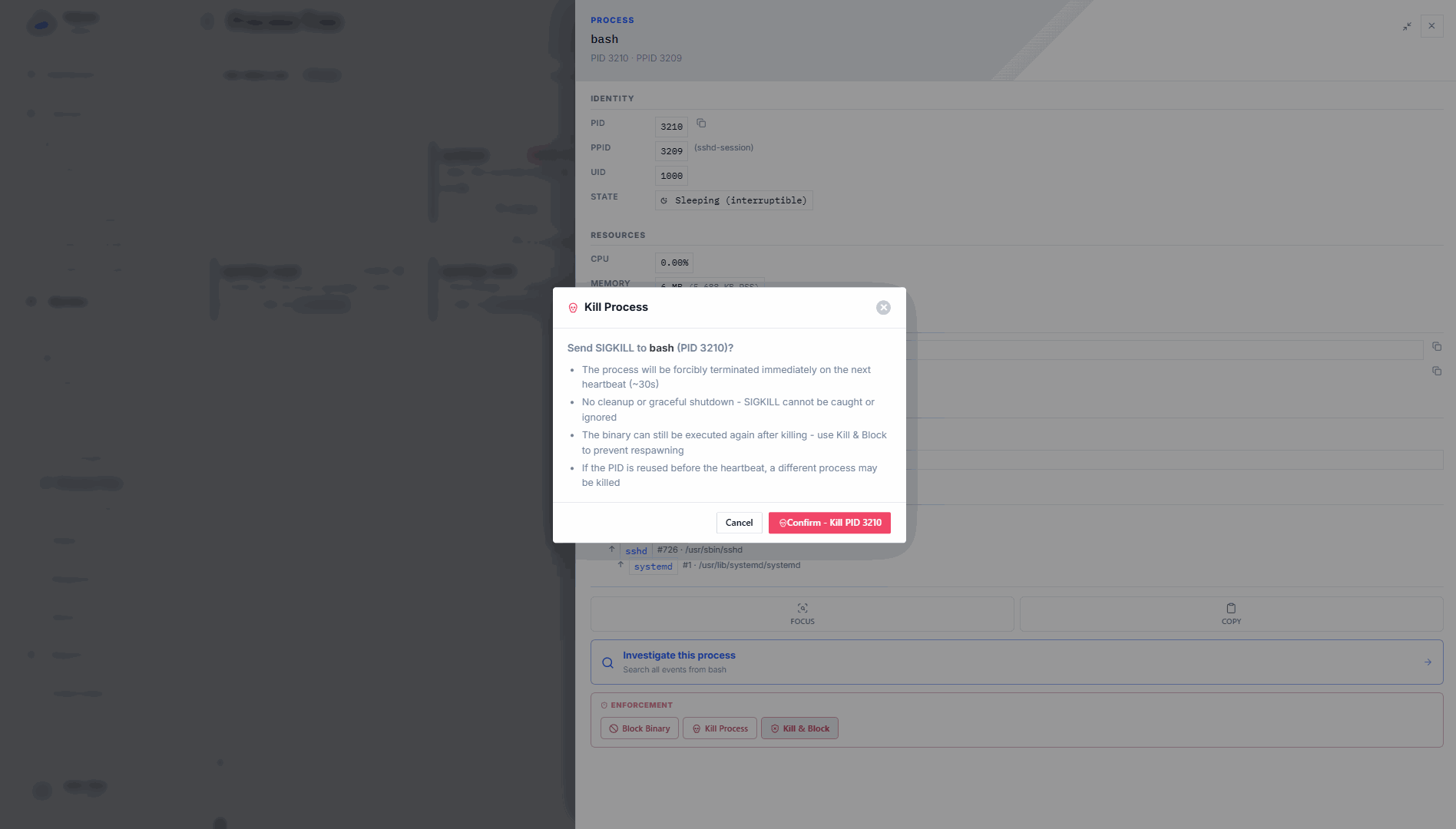
The Console records a bounded command with an expiry and delivers it to the selected Sensor. Immediately before signalling, the Sensor verifies that:
- the PID still exists;
- its start time matches the selected process instance;
- its executable still matches the selected executable.
If the process exited or the PID was reused, the command is rejected without sending a signal. The command lifecycle records whether it was queued, delivered, succeeded, rejected, expired, or failed.
Actions are disabled for historical, stale, evidence-only, offline, or identity-incomplete processes. PID 1 cannot be targeted.
Block an executable
Block Binary creates and enables an enforcement rule for one exact absolute executable path on one Sensor. Future matching executions receive the action shown in Runtime Blocks; the current block-binary action uses SIGKILL.
Use this only when blocking the executable itself is intended. For an interpreted script, do not block Bash, Python, Node, or another general-purpose interpreter as a substitute for blocking the script. When Telovix cannot reliably target the exact script artifact, script blocking remains unavailable.
To remove the block, open Respond > Runtime Blocks, locate the rule for the Sensor and executable, and delete or disable it.
Contain a host
Open Sensors > Fleet, select the Sensor, and choose Contain. Telovix applies the configured network-containment rule and records the action in Audit Log.
Containment restricts new outbound connections covered by that rule. It does not stop local process or file activity, stop the Sensor, revoke its identity, or guarantee termination of connections that were already established. Review the policy's protocol and hook coverage before treating a host as fully isolated.
Choose Release to remove the containment rule. Confirm that normal connectivity and Sensor health recover after release.
Disable, revoke, or delete a Sensor
Disable
Disabling changes the Sensor's fleet lifecycle state without invalidating its certificate. Use it for a temporarily retired or administratively excluded Sensor. Enable it again to restore the normal fleet state.
Revoke
Revocation invalidates the Sensor's client identity. The running service can no longer authenticate to the Console with that identity. Restoring the host requires a target-specific re-enrollment token and re-enrollment from the host.
Delete
Deletion removes the Sensor record from the Console but does not stop or uninstall software on the host. Uninstall the Sensor separately when decommissioning the host.
Choose the right control
| Situation | Recommended control |
|---|---|
| Stop one verified running process | Kill Process |
| Prevent one exact executable from running again | Block Binary |
| Restrict covered outbound network activity during investigation | Network Containment |
| Temporarily exclude a Sensor from normal fleet operation | Disable Sensor |
| Invalidate a compromised Sensor identity | Revoke Sensor |
| Remove a retired Sensor record | Delete Sensor |
Use containment or disable when the decision may need to be reversed. Revocation requires re-enrollment, and deletion does not preserve the Sensor record.
Verify the result
After any response action:
- Check the command or rule status in the Console.
- Confirm the intended process, executable, or connection behavior changed.
- Review Sensor health and delivery state.
- Confirm unrelated workloads remain healthy.
- Review the actor, target, scope, time, and result in Reports > Audit Log.
Do not infer success only because an action was requested. Use the recorded Sensor result and workload evidence.